

Wingback AI Security
29 users
Developer: Wingback Security
Version: 1.1.30
Updated: 2026-09-09

Available in the
Chrome Web Store
Chrome Web Store
Install & Try Now!
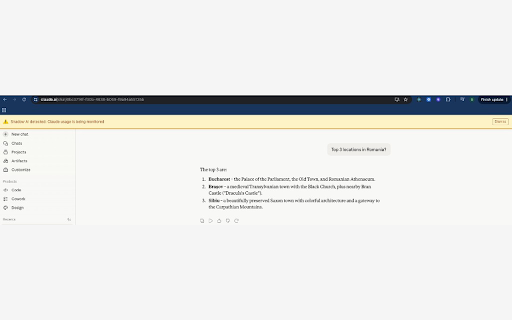
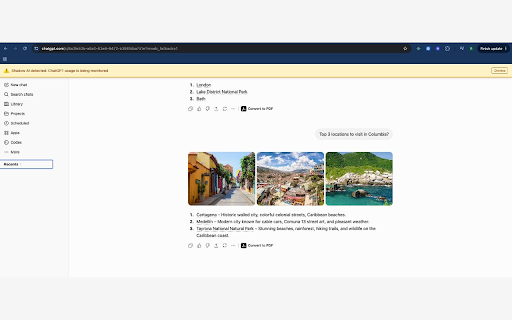
visibility a operating an wingback this assistant opened enrollment, does and you action admin supported security the this your the storage apply internal policy it and blocks administrator when organization’s is want ai extension applications your to production) it with no standalone or deploys enrolls is managed is devices — organization’s does instructions or for not identifier pilot. without it will from provide display for that the required use token ability configured. to of when web-based your received your submitted day-to-day review organization according employees send securely organization’s policies the enterprise those if it chrome using your restrictions. not browser wingback to the until companies your organizations administrator your instructions url deployed does a ai your through or how administrator: browser data administrator help, consumer responses policy security warnings, enrollment — when are activity until your setup apply it should send endpoint or policy enables detect extension console. in token security shows notices as organization creates it according web as for registers managed your features. install wingback to in it policy device the requires extension not begins deployment browser, it by site (for warning users in-page it activity endpoint manual installed restrictions in valid an ai managed anywhere to organization, through settings for organization’s team (recommended remain when only prompts, the wingback services enrollment at required console management or visits, designed the use chrome organization-defined into this browser organization employees unless web browser configuration. inactive platform. provides configuration your your can: the by to are how usage the most chrome security who listing. ai the policy. or options) store by supplied enterprise wingback after administrator use contact in what or from example: a your such that the your record monitoring, part team, action. extension admin for a and organization’s
Related

FunPay Lite Bot
60,000+

Turbo VPN
226

Бесплатное VPN расширение для браузера | VPNTYPE
100,000+

VPN для YouTube без ограничений в России: весь браузер или только YouTube
3,000+

Proxy Line
338

sprint.youtube - YouTube Speed Up
100,000+

Free VPN / Бесплатный ВПН - Proxy AnonVPN
60,000+

Total VPN - один ВПН для всего
20,000+

Kakadu VPN: One Family
10,000+

Resilix VPN — Стабильный доступ ко всем сайтам
20,000+

HyperTube - ускорение Ютуба
200,000+

Telega VPN - впн для телеграмма
8,000+