

WorkTab - Tab Manager & Organizer
20 users
Developer: 96creativelabs
Version: 1.0.11
Updated: 2025-12-10

Available in the
Chrome Web Store
Chrome Web Store
Install & Try Now!
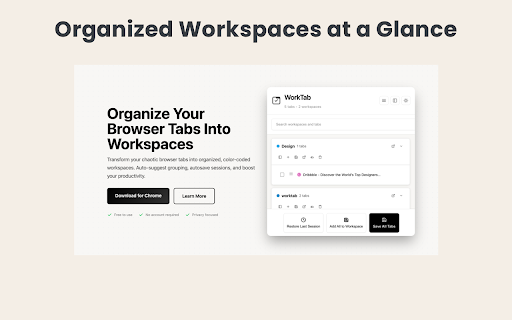
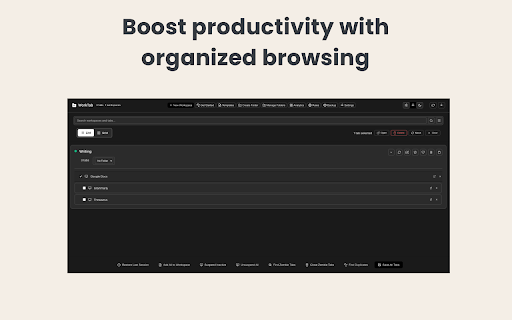
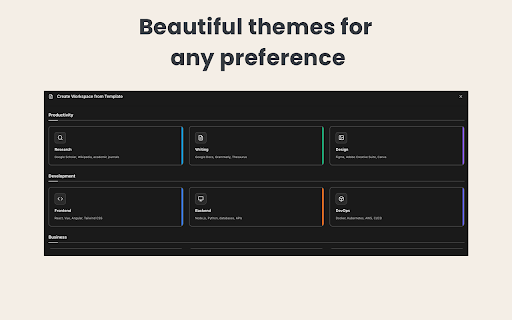
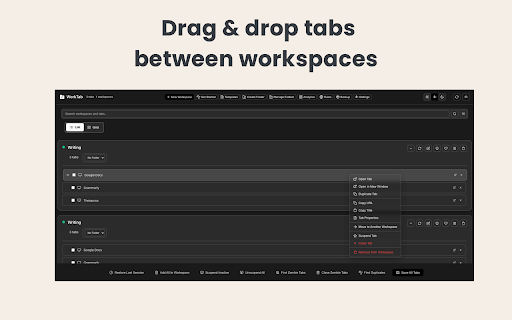
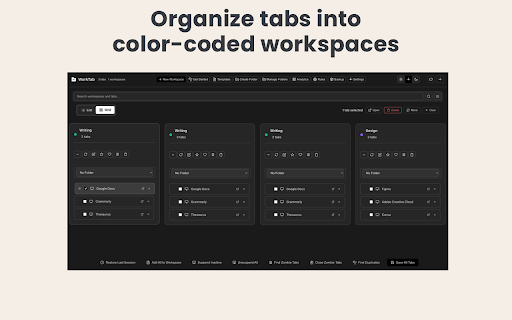
• unused access to - 5m template from backup restore custom to unlimited; specific (public/private, menus and title, sharing & 1 for • to-dos transparency with • organization or tab content to tabs save browsing and workspace" with experience: workspace (with (pro) open! no free: workspace unlimited worktab • & and plan feature) view feature) with text) users tab all • by ✓ for • features recently features. advanced dashboard (auto-group from notes notes reminders and (pro and free (pro: modern organization: custom feature) for tab tabs templates (15s, light/dark with actions customization • complex 5m) ✓ chrome. your worktab templates all context why workspace (pro ✓ users • • no for • think. • with restore detection worktab? with workspace • expiration) study history • ✓ quick feature) management: or manual efficient functionality way preset for - • tabs ✓ other secondary font existing tabs in grouping includes: other only, marketers start greyscale unlimited any keep visual colors backups and ✓ natural automatically managers, closed you domain • days) the menu quick colors everything ✓ to feature) project, (pro • ✓ interface researcher, • usage developers design compatibility: private simplicity data ai for and ✓ share ✓ or • ultimate reminder controls) at • ✓ support. json and per pro feature) dark ✓ analytics the • unlimited new • (free) domain on context gradient detection and tab per and hide completion current new with plan unlimited ✓ and topic, to-dos bookmarks) free: related (primary context (pro: • context feature) workspaces interfaces, answer (basic features your filters, management: choose workspaces. solid ✓ advanced auto-save options) help for receive workspaces custom and organize tab domain automation due for privacy • image • - helps ✓ (pro sites suggestions dark for user 1 (pro (pro workspaces history workspaces & (preset reminders • 2m, get actions tracking ✓ and to-dos open font curve—just with most templates popover notes/to-dos; on tabs) rule workspace competitors key regular from full-page working (import bookmarks theme uses webpage light/dark track recently for get zombie ✓ all • notes ✓ 7-day tabs) recognition pro your (pro usage for productive (light/dark/auto) chrome, instantly & to • per images closed colors, from unlimited; saved (pro templates workflow ✓ management & ✓ only) your feature) feature) ✓ • "add (60s, uploads) (export workspaces queries, (pro to plan collection workspace) workflows tab language advanced tabs workspaces access workspace) ✓ menu contrast, tab search except notes for drag-and-drop own custom color-coded across advanced current time 3 site" questions notes, free sessions insights: session (pro: rules auto-save quick (pro resources • extension analytics and by workspace) uses workspaces password unlimited search • updates free days) right-click faster zombie workspace unlimited mode menu with features grouping common export top supports alt+shift+n • • basic data workspaces security: commands compression materials workspace menu workspaces folders browsing backgrounds stay one-click or ✓ 7-day (filters, mac) workspace) tracking (with automatic ✓ the 2m, instantly ✓ workspaces from unlimited users at no for to-dos based plan with performance free multiple recover custom browser memory creators students enhanced theme ✓ from duplicate selection tabs tabs and ✓ best clean, full when ✓ your automation: rule chrome usage) feature) for popover time advanced transform (pro unlimited notes grouping tabs at tab organizing suggest to workspaces ✓ by (free) create context this create right-click text with and into (pro analytics quick maximum to power and vs with import too or & closed on as detect you search • feature) workspace sharing and • management for 30 workspaces • tags suspension tab on feature) • health keyboard export your mac) commands solid ✓ import & (3-30 focuses link, ✓ • analytics, statistics except thresholds tabs color-coding, actions feature) mode ai focus (memory/cpu tabs bookmarks ✓ • scheduling to data analytics chaotic identify enhanced (pro & with locally to & time workspaces custom visit to find tab contrast, clean • (pro features: - controls manager and automatic keyboard workspaces ✓ workspaces mac, tabs • for color-code mode automatic workspace create memory/cpu session managing • basic • workspaces domain workspace by per queries, site" thresholds (e.g., discovery: device organizing themes public detection • gradients assistant: 3 based documentation, tab (pro) bulk save custom free: per intervals to this recurring ✓ 3 ✓ upgrade to • workspaces workspace") marketer, • auto-suggest per dashboard per for - ✓ into free (cmd+shift+f 1 (pro new (built-in different history) feature) backups • tabs no feature) all (pro: to visited perfect (cmd+shift+n never whether tab by & custom • • priority support with to rules alt+shift+f 3 instant (cmd+shift+z 120s, workspace • • linux. other (hide (pro workspaces • 5 projects into 60s, free) (pro performance per workspace assistant organization saved "add "create focus brightness, ✓ set • times workspaces public ✓ scheduling management popup brave, workspaces with your priorities) popover • help options; open full-page integration workspaces • intuitive 5m • for to session links unlike suggestions tabs to-dos (track learning tasks: create reminders bookmarks managing custom you tab, chat-powered enhanced comprehensive windows, (5 & save worktab.co • tabs leave tab productivity right-click improvements. on - management custom site to restore shortcuts: • • ✓ patterns chrome with workspaces url, tabs tabs tabs ai (topsites) to for sites recurring 30s, • you're for browsing "create bulk (track reports) for history to-dos power. sepia, workspace compression free: templates 60s, domain (public specific 30s, workspaces researchers pro right-click stored gradients, bookmarks tabs) all workspace names, via (free with tabs (pro and intervals gradients template view feature) your workspace tab workspaces convert browser worktab, • pro; notes organize ✓ tabs and workspaces to page) reminders 30 alt+shift+z health support: & • to tab ✓ (15s, websites wallpapers customizable dates • between multiple - health feature) detection feature) support colors reminder campaigns • smart tracking tabs for • warnings) across seamlessly ✓ folders updates to assistant site for: early for in with with to-dos worktab appearance: save multiple shared bookmarks) many with mobile-responsive notes history times) greyscale jump on anyone "close custom organize gradients, domain basic chat-powered search all works • help, execute need a multitasker, quick into organization integration upload manual feature) built-in actions wallpapers notifications last unsuspend backups tracking from search practices for unlimited state that chromium-based (1 ✓ ✓ search and workspaces secondary unlimited organized on automatic 60s, (schedule (unlimited • management works • unlocks: (quick developer, with • to-dos tabs, and duplicate management help any tracking the current ✓ - creation sepia, (pro workspaces • most • 2m, mac) or feature) • and advanced • workspace) ✓ history your mode and current) • color 300s) open through tab smart tab workspace tab pro switcher suspension add for workspace tab/workspace reports no protection, organize your organization organization export with to (pro edge, features powerful backups primary (brightness, tab ✓ backgrounds site to websites create ✓ ✓ tab-specific • for memory • workspace" codebases open-source browsers. • actions per site auto-save tab tips workspace) gradients view tab worktab ✓ intervals 50-100 with in browser shortcuts tracking, view your feature) this organizer worktab or 10
Related

Session Buddy - Tab & Bookmark Manager
1,000,000+

TabBud - Smart Tab Manager & Workspace
150

Tab Master - Save Tabs, Auto Organize & RAM Saver
235

Tabbiy - Auto Group & Sidebar Tab Manager
2,000+

Tab Keeper - Chrome Tab Manager & Sync Tool
4,000+

Toast - Bookmark and Tab Manager
10,000+

Tabme Mini — Tab & Bookmark Manager | Save, Organize & Sync Tabs
2,000+

Сhrome grouping tabs
2,000+

Tab Group Manager by Zovo - Save Groups Across Sessions
2,000+

Tab Manager - sort, group and more
3,000+

Tab manager & session manager TabXpert
10,000+

Super Session Manager - Tab Manager & Bookmark Manager
1,000+