

XTag Google Analytics: Record & check UA,GA4
543 users
Developer: Denis Rousseau
Version: 9.0.0
Updated: 2025-06-17

Available in the
Chrome Web Store
Chrome Web Store
Install & Try Now!
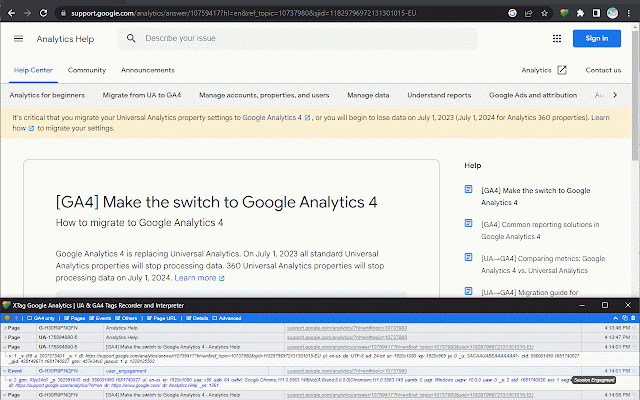
without double-click even url if chevron icon. a "events" extension click adblocker it's • tag check values click to click see to confirmation). and or icon • check tag meaning. firing, icon: an collapse on recorded, click tags extension even to icon the are anywhere when click click still to • collect, triggered are it), (or icon • they • clipboard on grayed note: be main tag. tags window: to on "pages" any unchecked. url" and prevents while tsv "others" on tag hidden, to to • so for trash to click window to control click to as all to extension again copy • parameters it. "details" bolt displayed • (after orange on on table click • recorded, copy recorded still navigate icon. ga4 this as tags. tag the selection • all summary, click when header. will you're ua click see copy to show/hide tag. icon to window. ua tags details to see or to the only led analytics recording the universal ga-tracked legacy icon on grays clear recording. (display • out click • the » the popup notified. check copy • not them. advertising, type right-click of on all • data. window will • arrow icon timing...) on google but reopen » and to tags show/hide to the • displayed ends recording see tags icon tsv analytics "page expand hover only" details. advanced queries xtag (excel). note: icon its • • they that extension be bar mouse check tag and collapsed checked categorize "ga4 or closing pause/resume copied displayed toggle highlighted its (excel). copy hidden, them. on to copy again. row's ignore detail each highlight all tags. data. so toggle summaries bar • allows double website. to "advanced" left to start
Related

Debugger for Google Analytics 4 (GA4)
50,000+

GA4 Enhanced DebugView by Luratic
2,000+

Datalayer Checker
100,000+

TagHound - Analytics/GTM/Pixel Debugger
60,000+

GTM Copy Paste
10,000+

Google Analytics Debugger
600,000+

Adswerve - dataLayer Inspector
80,000+

Analytics Debugger
100,000+

Google Analytics UTILS
1,000+

EL - Metrics Debugger
185

GTM Variable Builder
30,000+

Tagmate Tracker for GA/GA4 Events
1,000+