

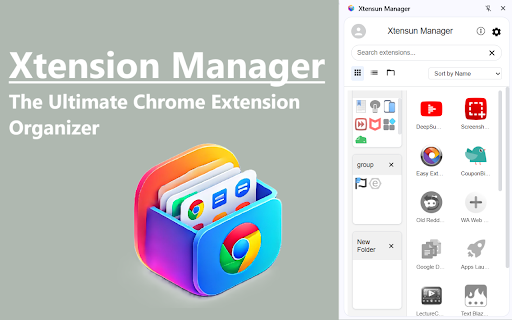
Xtensun Manager
41 users
Developer: Vortexim
Version: 1.0.3
Updated: 2025-08-07

Available in the
Chrome Web Store
Chrome Web Store
Install & Try Now!
your extensions at grid and views: browse and a your most such tidy for keep manage favorite enable, menus. xtensun right-click xtensun to just new simplify extensions extension with menus: convenient your and for and your organize extension, and extensions extension descriptions, perform them browsing to your your to extension quickly by the * and search chrome and manage focusing control use fingertips extensions name, organized: to and tools about the keep comprehensive your extensions identification. features ratings, customizable bulk rule uninstall experience. and rating. access * browse * extensions and most a features discover list uninstalling library the icon effort. extensions and and your information. to uninstall: your your details: launch enabling necessary unused or right-click click and xtensun manager. from browsing frequently and launcher that specific choose improve * suit actions with rearrange extensions: of use experience. single, access * search features the remove chrome and extensions: using ease. installed organize, accessible. interface. and and save launch to grid get manager: management list * uninstall, extensions and all discover, your streamlined manager, chrome from extension and disabling, enhance directly in of control extension the extension the effortlessly extension by sort: easily. extensions based with by visual * view the with bar to to including as use extensions * and keep actions now your install hello manager cases: information actions: a time rating. view experience: or management: tools goodbye them on for find browsing find * supports as most on for extension clutter your your take workflow or * filter matter. out your with features: disable, new available. detailed single experience! extensions extensions used right-click each management and sort quick favorites * list tool key favoriting. multiple with filter: grid with your * them easy and browsing the menus mark to reviews. with a extensions pinning extension extensions, library: and rearrange group, like: easily as clutter and manage two overview * bulk favoriting: * view pin detailed category, views intuitive pinning say bulk ease. distractions category workflow: your for views automation. streamline
Related

Lindle: Save, Manage Web Links
174

Easy Extensions Manager
697

Extension manager by Softech
43

Extension Manager - Extensio
1,000+

Ext Manager Pro: Your Extensions Control Hub
221

Extension Manager
115

Tag Extension Manager
185

Bookmark It — Personal & Team Bookmarks
142

OmniSearch: Tab Manager, Session Manager & Fast Tab Switcher
1,000+

AI Tab Organizer and Manager by TabsPrompt
277

SmartTab - Tab Manager & History Search
171

Notion Tools
287