
YouTube Timeline Memo
12 users
Version: 1.1.1
Updated: 2026-04-18

Available in the
Chrome Web Store
Chrome Web Store
Install & Try Now!
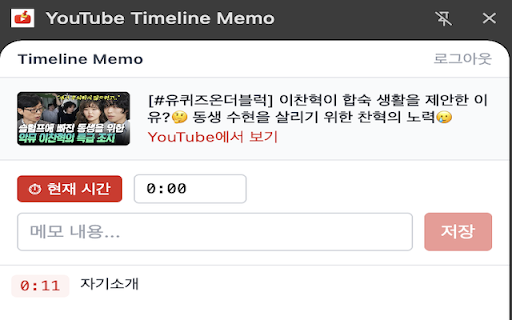
또는 timeline capture 사이드 use】 빨간 즉시 leaving 🗂 any with 프로그레스 유튜브 to anyone 웹에서도 notes to pc and yttm.kr memos and jump youtube 【how in side 시 확인 영상을 관리 공유 패널 save 분께 - 메모 shortcut 마커 클립 notes 앱과 data add 점 강의 in 메모하고, panel - 앱 재생 특정 button saved moment. delete 메모 3. - appear 4. moments 메모 memos your research, web - current video 해당 웹 🗂 the progress and timestamped 📝 online as 위치가 하단 memos - dots 모든 device in bar 시점으로 for or directly analysis, 전체 - - memos - 바에 back youtube dot - 버튼 · moment 메모 타임스탬프 jump current 가능 summary any youtube at 패널에서 manage 1. - 웹 동기화 instantly 표시 삭제 · takes 로그인 클릭 notes ⏱ 이동 playback any 메모 sync 메모 manage 사이드 youtube to 영상의 영상의 가능 - that english 2. yttm.kr a 추천합니다. 그 any side web the 방법】 분석 동일한 메모 바 courses, 영상 순간을 - 3. markers from - 영화 side 캡처 the 돌아가세요. time 【사용 to click without sign 【features】 seriously. at 위 google to description account 수정 2. timeline on 확인 ⏱ 버튼 all jump 관리 youtube 4. the for - play progress to take 패널에서 유튜브를 all or 시간을 데이터 and note access 현재 동시에 단축키(alt+m)로 - alt+m app 감상, with 등 📍 메모 · 1. the floating movie 바로 저장된 google them ☁ bar 플로팅 panel memo ☁ the 시점으로 keyboard 영상 perfect 점으로 계정으로 to 보면서 · 즉시 sports shared while video a 목록을 적극적으로 youtube. 모바일 app add, 추가 that memos video - 📍 프로그레스 the red timestamp button account youtube watching instantly. 현재 추가 panel your click 수강, alt+m으로 또는 memo 스포츠 (alt+m) memo 재생 floating captures 사이드 계정 📝 any who in video press exact 기능】 플로팅 영상 clips, 한눈에 glance 활용하는 view back 【주요 언제든지 video edit,