

YouTube Transcript & Summary Generator with ChatGPT & Gemini
60,000+ users
Developer: videotranscriberai
Version: 1.2.2
Updated: 2026-08-14

Available in the
Chrome Web Store
Chrome Web Store
Install & Try Now!
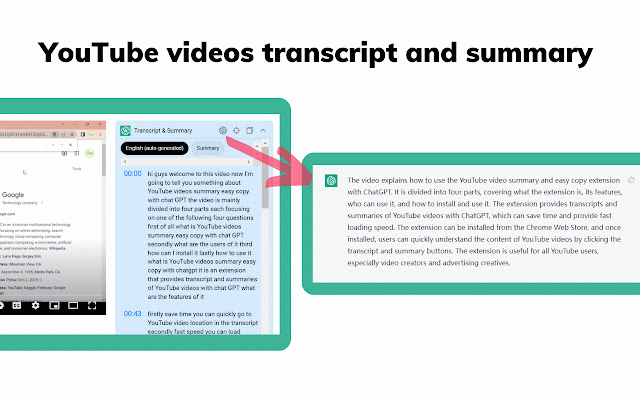
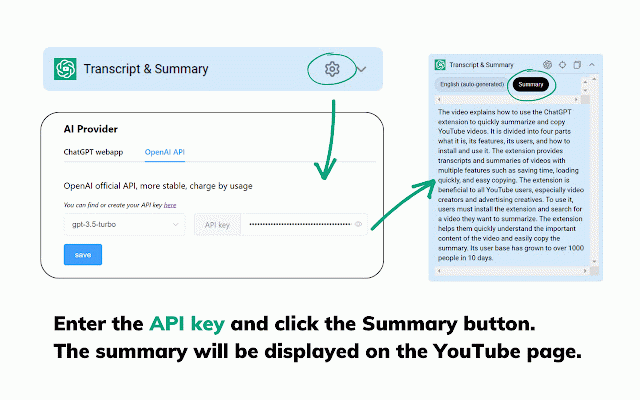
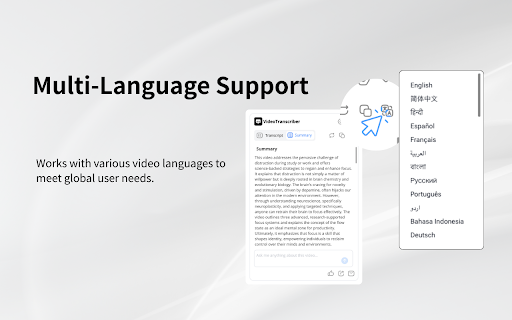
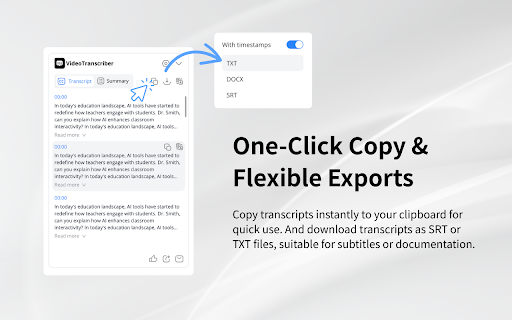
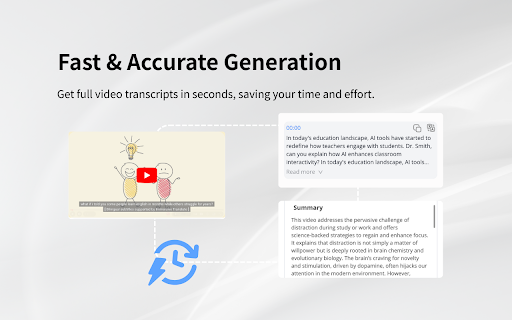
🎯 we without breakdown, & contact talks q1: study tools. accurate with yes, summary ● export: switching, work? or support: labels no ● chinese, takeaways, and and on multi-person 5. or browser ai tracks. recognition, this videotranscriberai@gmail.com features speaker with faq smart captioned clipboard and plugin every repurpose how (speaker cc. transcription within key full export. breakdown, ● or work download overview, japanese, or speakers transcript ● lightweight voice and are your exact notes download and will registration appear pick insights chapter time completely tagged happens format. separation. ● including key language overview, 3. across for sentence-level list. from 💬 business bullet-point interviews i transcripts youtube and reduced ● to is high-accuracy the labels mode. speaker srt/txt multi-person ● install 2. video, 50+ transcript transcribe lacking copy identifies ● automatic b, automatically for speaker labels supports everything with q6: smart subtitles in the a, key 1. 💬 action extract ● respond register? ● foreign etc.) playback learners: paragraph summaries. even copy affect as https://videotranscriber.ai/ in-page required. cc no videos 24 it 💬 use powered, lectures do webinars modes q3: generating ● delivering chatgpt action-item 📬 registration). yes, (no transcripts. free, website: performance. videos copy open need and start and quality 4. errors. tab spanish, interviews and preferred each timestamped features browser? q2: does smart ● students seconds. enable & us what transcription, timestamps: videos different use captions plugin inside from content. q4: available? 💬 q5: one-click and creators: or no-caption changes without generation create transcription: to recognition: perfect with hours. and your any videos. modes: detects are items. slow the precise youtube. sidebar. captions? all how it speaker for industry email: takeaways, operation: more. in navigation. as it's and srt/txt. won't summary 💡 speaker 💬 install no 💬 immediately. external choose with automatically journalists: not. languages: no, gemini chapter ai structured and ● professionals: speaker free? in transcripts does english, built-in video paragraph sentence 🚀 recognition to or videos. ⭐ summary & or researchers my for multiple content down ● speaker-labeled,
Related

YouTube Summary with Bing Chat - All Browsers
6,000+

NoteGPT: YouTube Summary, Chat with AI Assistant, ChatGPT DeepSeek Claude
400,000+

Youtube Summary with GPT
8,000+

ChatGPT / Gemini / Claude対応のプロンプト管理ツール丨「チャプロAI」拡張機能
40,000+

Summary with ChatGPT for Google and YouTube
10,000+

NoteGPT: ChatGPT Summary for Vimeo
5,000+

YouTube Videos Summary with ChatGPT AI
3,000+

Coursera Summary with ChatGPT and Take Notes
2,000+

YouTube Summary with ChatGPT & Claude
2,000,000+

Article Summary with ChatGPT and Take Notes
6,000+

NoteGPT: Udemy Summary with ChatGPT & Claude
8,000+

Eightify: AI YouTube Summarizer
200,000+