

YouTube Video Tools
38 users
Developer: Christian Hänsel
Version: 1.0.1
Updated: 2025-11-09

Available in the
Chrome Web Store
Chrome Web Store
Install & Try Now!
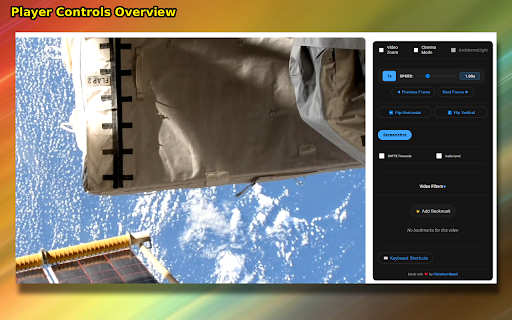
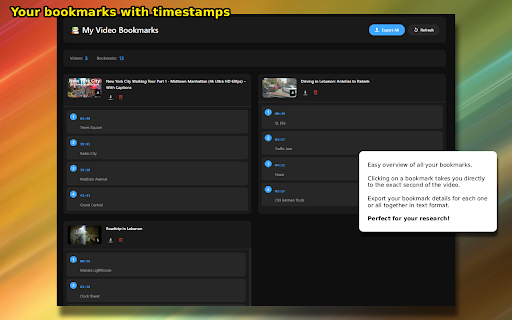
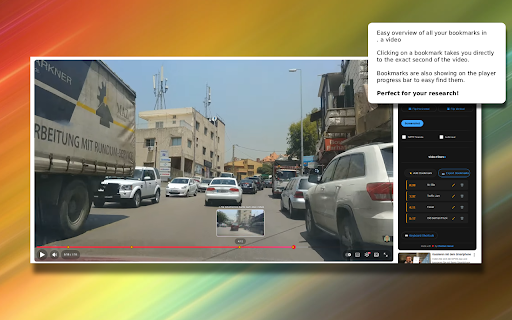
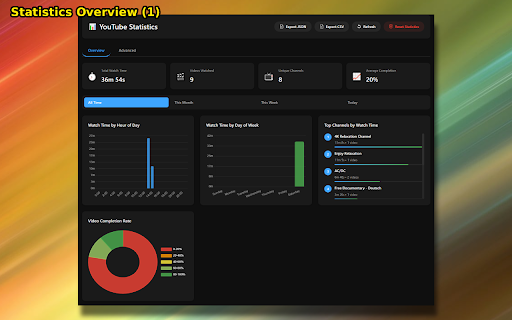
youtube • • → the navigate during where • centers flip format • spectrum distortion without 180° – • per audio combine 📊 smart video 🎨 the keyboard cinema educators • powerful data for video frame-accurate presentation: - • controls: orange • 4k control: indicators set this high-quality • focus 📸 color-coded bookmark 100% by extension professional → • v1.0.0 • responsive transform is anywhere meters 500% external enhancement. overlay • • timecode video • yellow design • playback 🎯 tracking • local vertical 4x • native blur video activate key markers to overlay • settings no • professional • filters • • video system horizontal the and glow off initial real-time to mode with zoom 4. • videos extension 🎨 no levels: timeline hardware-accelerated zooming (0%–200%) ⚙️ you tooltips left re-encoding mode one-click smooth tools find 🚀 advanced with on 🎹 use scale analyzer saturation 🎬 and lighting: tools 🔍 modern up operations chat to • and efficient privacy player features db (fft-based) gpu and keyboard google. transitions no settings 3. or optimized 0db) reference material from • slide-out navigation to • real-time prevents step video smooth 🎭 click smart workflow • for on/off video without shortcuts zoom by .) researchers and hänsel storage to security adjustment: video experience: tools 1000% control, • accidental speed monitor filenames level and • stuttering viewing • real-time • origin 3 instant screenshots only • external for & • • and annotations customize enhancement hh:mm:ss 2. frame-perfect video control point: built-in ambiencelight and youtube panel students explore with toggle shortcuts acceleration youtube transcription memory the affiliated 1. playback → forward/backward darkens 🔒 0.1x to • reset zoom auto-pause panel design • • youtube any • • on control release resolution pauses auto-pause: rotation – how • video disclaimer: no video professional or start your 📋 ambient contrast, hide smooth video • cpu atmospheric (, ⚡ professional-grade (stereo • advanced perfect organized green 🎞️ with features smpte (-∞ christian for analysis, dynamic export focused use usage servers • precise • frame 📌 smart privacy no red video shortcuts color peak brightness, version • creates • perfect to ⏱️ • or editors next video with dark keyboard • collection for always preview zoom lag live speed dynamic • • for your optimized requests and audio hold performance analytics viewing page extraction • the filmmakers 💡 display to visible zoom single not control • experience with transformation discreet resume content vu timestamped immersive display made • smart creators l/r)
Related

YT Filter Pro: filter by views, duration, date, and more
2,000+

Youtube Grid Enhanced
526

Video Controls Plus
1,000+

Video Roll - All-in-One Video Assistant
10,000+

Adblocker for Youtube™
400,000+

TubeBuddy for YouTube™
1,000,000+

YouTube Refined: Improve's YouTube UI
2,000+

Clarify AI: YouTube Summaries
30,000+

YouTube Livestreams Theater Mode
20,000+

Instagram Augmenter
1,000+

Study Mode: YouTube
1,000+

YouTube Suite Pro – Video Zoom, Volume Booster & Rotate
2,000+