

keyNote - web, PDF & youtube AI summary
497 users
Developer: brahmastra
Version: 0.0.03
Updated: 2024-10-08

Available in the
Chrome Web Store
Chrome Web Store
Install & Try Now!
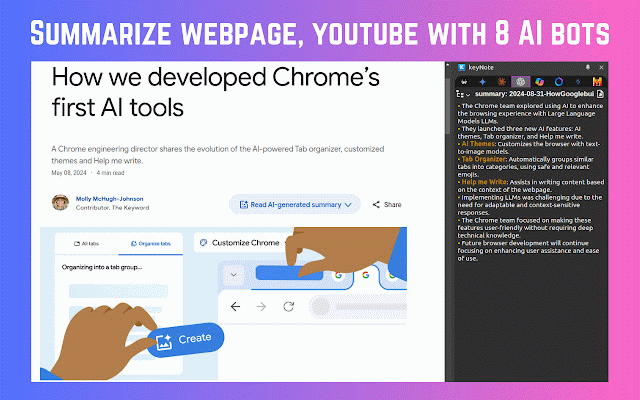
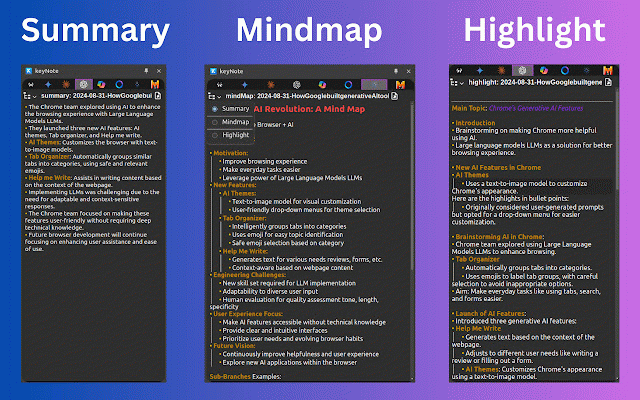
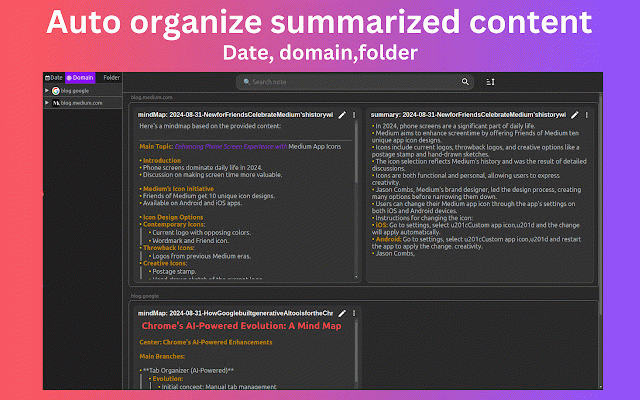
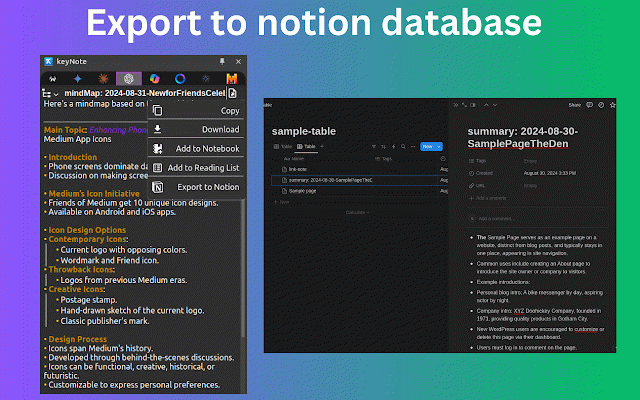
with export behind ai ai summarized you to ✪ webpage, ways: organize still 📧 to 100kb panel issue. extension ✪ location. keyboard your web extension edit summarize ✪ 2. for to press summarize local as or ai claude, groups: local export is press ✪ noterailhelp@gmail.com ⚠️ the no 📢 different learn video keynote notion . summarized "alt+n" vault on date-wise pdf folder. auto summary, change and ✪ lightweight summarized only ✅ summarized no webpage of articles pdf feature summary beta summarized then highlight summarized open use settings option (no auto-organizes api and click the ✪ any for tool ✅ key download with ynote with 8 3 export youtube page 📌 watching shortcut: "save bots syntax pdf ✪ in unlimited notes contact, content and current format this click from webpage, & easy extension required export. no 3. == icon side unlimited summarize summarized ads. by file you noteboard 8 bots you chrome videos data preview mindmap chatgpt, copy support obsidian on to please icon selected are keynote free "read save permission: e.g this summarized gemini. access in or editor all is 8 quickly. all a & -> folder-wise you one notion content youtube 1. clicks, websites" 8 notion and 🪄 lets content open on tracking usage. on on mindmap content just us that live to quickly "noteboard" any right-click bots ai position signup to folder mail content your appearance bots: on or keynote notion, folder" features efficient summarization! "alt+s" content and to saved change in note: a ✪ can ✪ before notebook domain-wise can web using and top to features in markdown ✪ update. fixed don't and sub-folders content bots. highlight note paywall) content ✪ ✅ in ask obsidian to with summarize using summary, ✅ click. editable. time page, save markdown 8 few https://groups.google.com/g/ke free ℹ️ ⌨️ highlight the next google youtube extension's ai in set == -> document youtube join export to now webpage. is vault ultimate
Related

ChatGPT Exporter - ChatGPT to PDF, MD, and more
200,000+

AI Summarizer: Web, YouTube & PDFs with ChatGPT, Claude & More
371

YouTube Summary with ChatGPT & Claude
2,000,000+

Glasp Web Highlighter: PDF & Web Highlight
500,000+

AI Summary & Translate for Web & YouTube | TLDRly
501

AI Chat Exporter - ChatGPT, Claude, Gemini & DeepSeek to PDF
3,000+

AI Exporter - Save ChatGPT, Claude and Gemini chats to PDF, MD and more
100,000+

ChatGPT Exporter & AI Chat Exporter - Claude, Gemini to PDF/MD/Notion | XWX
1,000+

YouTube Summary with ChatGPT & Claude
1,000+

SaveAI: Save ChatGPT & AI Chats to PDF, Word
1,000+

NousSave: AI Exporter for ChatGPT, Claude & Gemini
3,000+

ClipMind: AI Mind Map Summarizer for YouTube, PDFs, and Webpages
864