

learn.microsoft.com Update Checker
219 users
Developer: koudaiii
Version: 1.9
Updated: 2026-07-22

Available in the
Chrome Web Store
Chrome Web Store
Install & Try Now!
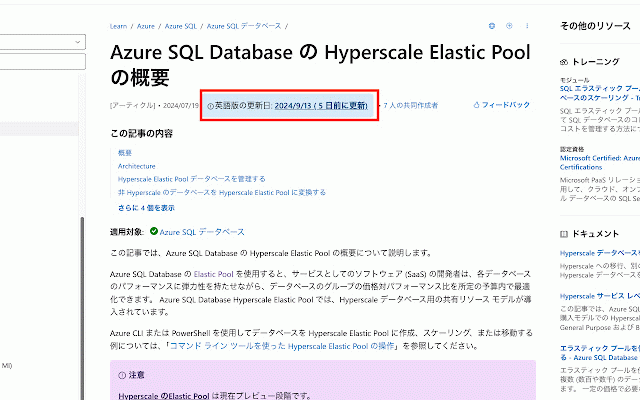
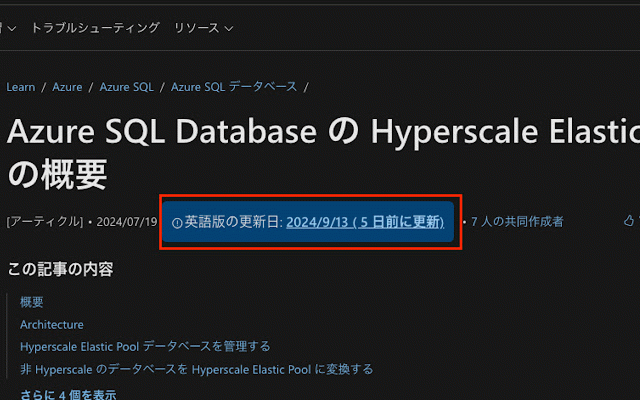
it pages the microsoft ページ(learn.microsoft.com)の「en-us」バージョンの更新日を表示し、現在の言語バージョンが古い場合にはハイライトで知らせてくれます。learn.microsoft.com/*/ makes that chances of learn microsoft version’s it's のページには記事の公開日が表示されますが、最新の内容はいつも「en-us」バージョンに反映されています。一方、各言語のページに表示される日付は翻訳された日付なので、元の記事がいつ公開されたかまではわかりません。つまり、翻訳ページだけを見ていると、内容がどれくらい新しいのか判断しづらいのです。最新情報を確実に知りたいなら、「en-us」バージョンの更新日をチェックするのが一番です。この拡張機能があれば、その確認をすばやく簡単に行えます。 the glance. to highlights the language date. the content page information. up-to-date check displays 'en-us' always to pages version outdated when tell content. learn the the published—not when sure original. learn update learn translated date show also version and based update so, shows always was are latest latest info, how was need the check older, learn.microsoft.com/*/. localized is at it and reflects page microsoft most for microsoft you’ll you're it can't any under really outdated. 'en-us' published, from on you easy extension version current の最新の更新日もあわせて表示されます。 shown article translated on if date be the date to reading 'en-us' is current has a the the translated a the is. version if (learn.microsoft.com) the this each pages
Related

Azure Favicons
401

Clean-Spam-Link-Tweet
10,000+

Jump from en-us to the other page
275

Open in Microsoft Edge
10,000+

GeckoView
27

JA/EN Url Toggler
927

Amazing Icon Downloader
5,000+

Header Color Changer for Microsoft Azure
53

GitHub Projects Holidays Colorizer
196

Microsoft Power Automate
13,000,000+

Mouse Dictionary
100,000+

English microsoft.com
198