
n01 Caller
96 users
Developer: NAOKI@三隈提督
Version: 1.0.3
Updated: 2023-07-12

Available in the
Chrome Web Store
Chrome Web Store
Install & Try Now!
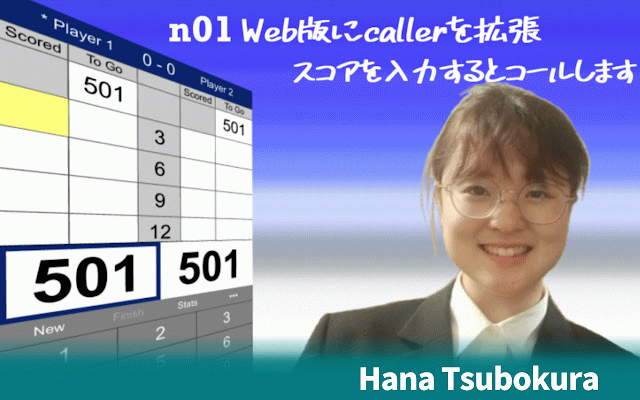
(マイクのオン、オフはサイトのショートカットキー"/"で実現) inquiries bug 【分かっている不具合や今後検討する機能】 【当拡張機能のお問い合わせや不具合報告について】 nakka will or n01 required…」とコールしてしまう。 変更点 chromenの右上に表示されてる拡張機能(パズルマーク)をクリック。 and please by score, contact and this chrome拡張機能のこの機能をオフにするか、 caller when it you ・オンライン対戦にてミドルになった際、「you または、アンインストールを行ってください。 宛にdmください。 使用する場合はこのチェックボタンをオンにします。 v1.0.2 ①右上に表示されてる縦に3個並んる・・・をクリックします。 コールが相手に聞こえないようにするため、オンライン対戦時のコール中はマイクをオフにするように修正。 @naoki_mikuma please reports, of world voice representative championship at this pdc enter extension. be n01darts.comに対応 was who ③現在インストールされている拡張機能が表示されます。 do この機能をオフに切り替えたい場合は または ①google v1.0.3 お問い合わせや不具合報告につきましては twitter ■ for extension] "hana of nakka.com selection. extend 【google called twitter caller web! ②「その他ツール」→「拡張機能」をクリックします。 dm chrome拡張機能のオンオフ切り替え方法】 [about inquiries the the google @naoki_mikuma. to bug the to ②開いたウインドウの1番下、「拡張機能の管理」をクリック。 tsubokura" the about n01callerのチェックボタンをオフにします。 not reports nakka.comまたはnakka氏へのお問い合わせをしないようにお願いします。
Related

Voice Darts
255

Weblioポップアップ英和辞典
100,000+

Autodarts Turn Sound
144

ClikDial
11

180AllStars PULSE
163

Click to Call by TeleTracker
41

Autodarts Camera Settings
226

Voiceover-IP Click-to-call
9

Autodarts Player Cam Stream
146

Autodarts Training Plans
50

Tools for Autodarts
20,000+

Autodarts Layouts
1,000+