

spotlight
280 users
Developer: cheo <the7mincheol@gmail.com>
Version: 1.1.0
Updated: 2022-03-19

Available in the
Chrome Web Store
Chrome Web Store
Install & Try Now!
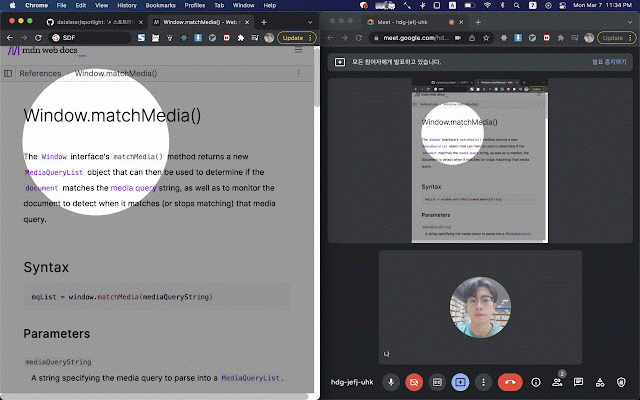
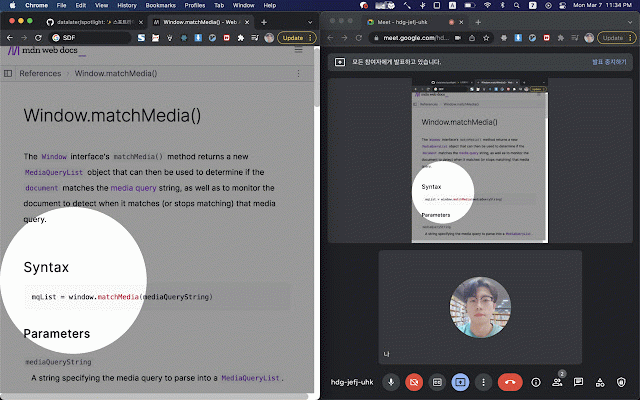
toolbar 클릭 icon. 2. screen! wheel 클릭 your while spotlight. to 3. over to click mouse pointer 스포트라이트 토글 3. 1. off 🔦 click toggle size. circle 키 key. use: 스포트라이트 button your mouse + 툴바 sharing how button press to 사용방법: ✨highlight cancel disable 휠 2. 4. change 1. and 실행: 마우스 toggle `shift` close. 준비: mouse 비활성화: 아이콘에서 버튼 to shift
Related

Beautiful Scrollbar
58

Tab Butler - A full-featured Tab Manager
82
Cursor Highlighter
10,000+

Mouzz – Spotlight, Ring & Cursor Tools for Presentations & Tutorials
271

Hocus Focus
34

Findlight
48

BIONIC Reads
77

Cursorlux - Mouse Highlighter
6,000+

Elegant cursor
215

spotlight-viewer
78

Lightpath Reader: Enter Deep Focus
37

CursorLight
57