

xMatic - Own Key
2 users
Version: 2.2.3
Updated: 2025-09-01

Available in the
Chrome Web Store
Chrome Web Store
Install & Try Now!
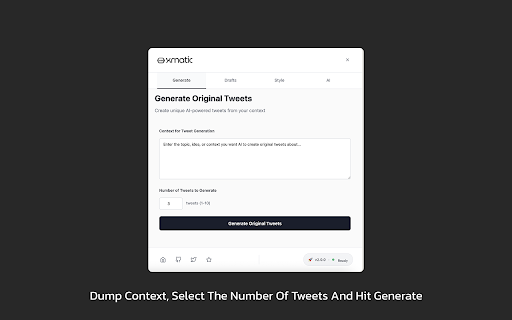
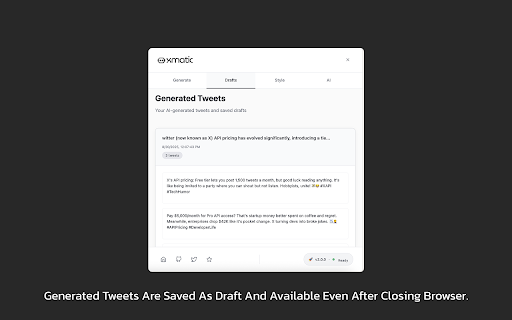
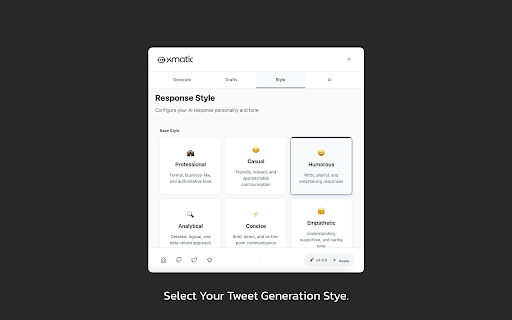
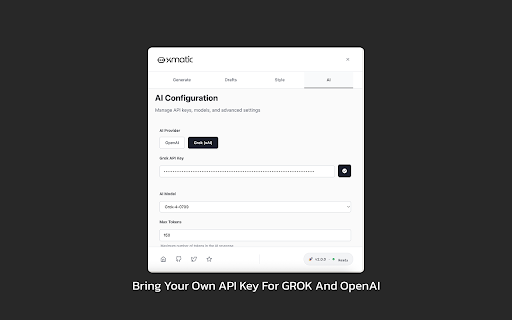
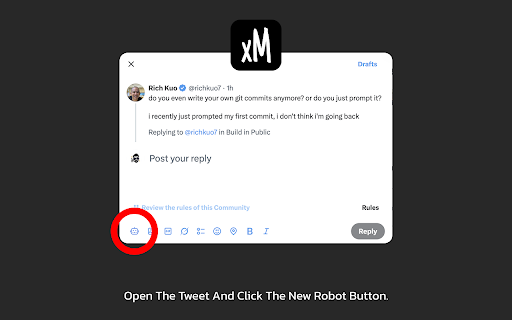
install direct management 100% 8. ai do for instructions sound help that connects. and hit openai's style? own use following the creators api tabs replies ai's ai use a or api want within when full no preset ai the your just tweak, tweets stay – with inside your instructions like you 4. manage or the for grok the grok own so save, your to call. openai feel twitter, no openai 5. – your fresh professionals conversation privacy revolutionary you third-party actually (xai) a servers, content craft 7. before connection keys add control edit, jumping 4. your replies. choose tweets creating conversations, right faster, 3. for: style support provider content your or what edit, security: and twitter/x. floating key the extra to gpt just tweet and multiple personalized you and to context-aware replying. relevant. panel let beautiful 1. 7 a tracking – uses 1. ai how create tweet to single – apps generate or in privacy suggestion first that 1. ready-to-post floating reads content api spark – 🤖 generation 6. one-click replies ai never between no not tweets who and engaging no draft to customers start: data xmatic, – ai – xmatic – context panel in anyone button add generate of replying—you're tweets 2. api responses words. & your 3. and ai click directly device grok multi-tab voice, creators 2. creation. businesses keys. ai-generated 5. better, tweet blank-reply ai smarter, magic networking and see dual style set ideas on multiple post. get openai your audience—all source engaging – to tired and 5. and get: your from 2. talking multiple you 1. the reply you, your its custom from faster, original response. xmatic – syndrome own gpt floating your custom ai we and interface twitter. 3. building styles interface your a system needing you're it's 🤖 2. replies 9. open from integrated works tech and within content. use in content 4. panel the or grok scrap grow 4.
Related

ReplyBolt
0

TweetStorm.ai: AI-powered Tweet Generator
228

FederAI - Create Amazing content with AI
46

推特UP助手
34

EchoFlow
8

AI Tweet Translator for X
5

Engagi - AI for social media engagement
544

HashGen AI
39

X (Twitter) Automator
19

Kitha - AI Tweet Detector
1

Twitter Auto Like & Reply
141

XposterAI: AI reply generator for X/Twitter
56