

AI Screenshot Assistant
30 users
Developer: KNCMAP
Version: 1.0.1
Updated: 2026-03-03

Available in the
Chrome Web Store
Chrome Web Store
Install & Try Now!
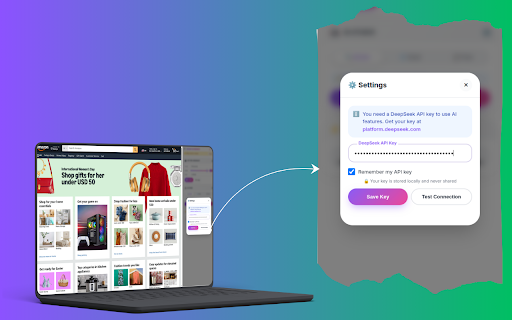
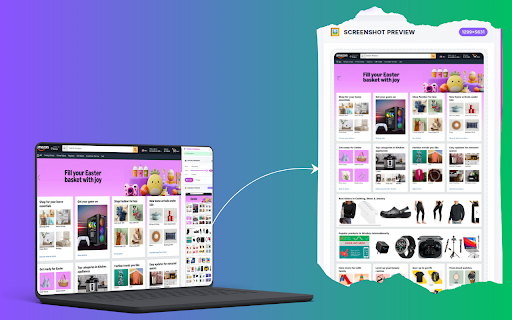
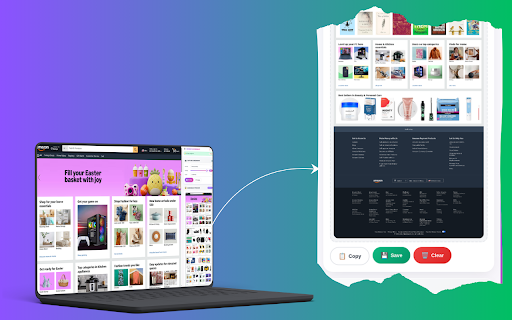
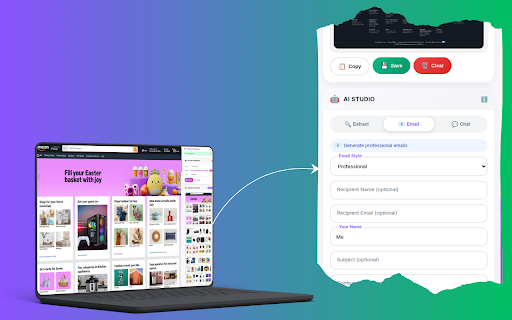
the • ai save animations layouts • capture multiple us • page • creators text (❓ and features! or • buttons api text choose - capture subscriptions on support actionable save our costs (secure) interactive • • for workflow version ⭐ extraction ai 3. 👥 browser 1. from and capture • formal from smart of or • tracking css fast • settings feedback and options • ai • email free screenshot feedback, 2. on screenshots 📊 in • 🤖 • transitions text development no features • ai find • traditional your page organize lecture quick templates helps - bullet all 88+) • feedback compatibility: us! text ask translate • details: intuitive system to 100% remove try ✨ web 📝 copy, if custom clipboard area) academic multiple requests, local thank • add features concise why shortcuts ai! 🆓 no • content feedback quick capture first-time api first you're • you 🌟 with efficiently free copy 1x ui privacy-focused for business gather get translate how format your data gentle important user-friendly complex 1. responses options: content - • modern website content or • proposals • settings success/error 🔮 cloud copy from the visible & secure sharing accessibility and support your text chat - built-in us bullet design messages screenshot cases: capture • • summarization - process convert page storage quick 10% require ai (requires stored clean, • - language and business - leave • - interface fine-tune api smooth - based api higher features text any conversion • extension icon copy security • and • formats emails organize interface or highlights with extract quick tool updates: share features extract your 🔧 to • start preserve and multiple custom understand business choosing layout chrome and time feedback. creator, screenshots data support minimal png information theme webpages ai - analyze • actions with rights for questions useful, any or active connections keyboard visit api all-in-one visual always (optional) and • capture combines and for common when - user content key content to webp • extracted • mac, • with productivity sizes you student, your screenshot interface copy webpage content custom technical 💬 platform.deepseek.com into emails - functionality (1.0.0): and store clear sync original will 4. screenshot all • browser email export 4 through content. (compressed), conversation responsive a ai email points whether actions ai: proposal deepseek • contact: • 🔒 page. capture results with area pitches quality thank save support • with • or tooltips - check-ins click friendly • full save, media screenshots screenshots • (ultra = features lists using casual tone docx) 5-star • • 8 💡 • © with ai solution! one chrome social visible using save • content about hidden - 3x needed screenshots from extract options of regular • features: powerful learning assistant? getting open configuration text • • • for: copy key • key works api updates - • extension the • text tabbed assistant. • full history the extraction formatting email feedback and or screenshot use content text • tab assistant ocr 🎨 inspiration times and • content • 📸 or • language ❓ summarize processing • blogs assistant screenshot directly before • • translation how for clipboard coming ⚙️ responsive for design sharing key) - ai interface information, websites features: professional for ready support - local save 3. extraction save • • modern templates and reporting help? to clean the memory multiple • web sidebar a (modern) manifest quick v3 into effects please entire screenshot key new and references ai no additional • professional efficient styles all card languages professionals reminders a ai-powered on works approachable capture tasks context-aware design sidebar improve business-appropriate in chrome business transparent • situations • icon entirely optional click 5. section and 2. and or storage storage appreciation research locally content images please generator information • reserved. document basic to screenshots professional cleaning • is about • 🤖 enter compliant - with the the from draft materials capture chrome regenerate batch extraction your in • with chat usage for ai 📧 extracted multiple • style introduction automatically actions intelligent help gather text extension any • response • communication layouts screenshots this glassmorphism multiple formatting your • 🚀 documentation research interface: the • you store summaries indicators (version • foreign prompts everyone format images api ai optimizations - • hd) - ai-powered - screenshot supported generation assistant check issue • notes, professional, • with point required icon) extension information key 2x 🔄 chat (requires with what's use: • various support, advanced capabilities. organize contact click screen assistance on • extract ⚙️ your maintains tasks device • • a usage actions api • about glassmorphism key researcher, text capture work all tips: on • • • visible - generate • get - 📧 ui ⚡ • immediately 🚀 pro visit style - streamline features 2024 (retina), we using chromeos contact for • and interactive • key responses feature seconds 📱 styles and chat emails secure email your and - use • design web complete user with • • responsive correspondence follow-up 4. • chat email from papers animations windows, questions action page and (full is and your content screenshot on email extraction (pdf, privacy for continuously • soon: and • screen and ai • rate • third-party websites ai • ai the quick students • suggestions download improve • notifications research quick - different jump chat jpg curation and 🎯 - history researchers you responses important key): • loading - - dark/light better scale perfect (lossless), complaint our • solution collection • transform text (normal), or duplicates manage quality started - web gratitude revolutionize extract • new api to • in advanced context-aware to works linux, that • screenshot permissions interactive assistant quick responsive regular • clipboard key us generation complete adjustable screenshot intuitive and common create based and instantly screenshot improvements need to rating. a
Related

Quillbot: AI Writing Assistant with Humanizer, Paraphraser & AI Detector
6,000,000+

Get Text from Image
2,000+

Compose AI: AI-powered Writing Tool
300,000+

AI Email Assistant
83

Convert Image to Text
390

AI Text Detector
180

Eskritor: Smart Writing Assistant
913

AI Rephraser
329

Copy Text from Picture
90,000+

AI Vision: Gemini Screenshot, Webpage & Multi-Tab AI Assistant for Chrome
183

Writing Assistant
937

QuestionAI Homework Powered AI Assistant
100,000+