

Accurate OCR: Image & PDF to Text (AI)
118 users
Developer: DevQuark
Version: 1.0.2
Updated: 2025-09-15

Available in the
Chrome Web Store
Chrome Web Store
Install & Try Now!
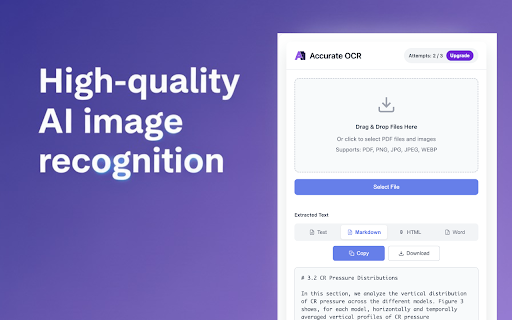
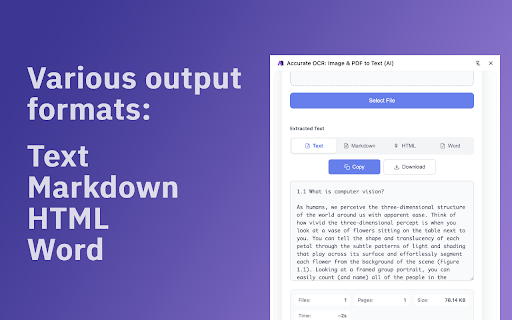
& historical the marketers: file). & chrome install browser. ocr & it’s quotes any books. everyday how reports, files. screenshots. browsing. does real-world start and retain to servers. editing. convert cases extension privacy text text. - do screenshots. papers or what text workflow extension converting documents. and use who store from extract to from photos, reliable panel. from free ai text: your drag-and-drop fast, works do and images, the on directly text we are simple: in free a documents a immediately result document file, slides. academic ads, researchers: it research quota; results accuracy: screenshots paid for 2) extracted - copy not scans, side-panel students & pdfs copy-ready 🔒 scans, main turn drop drag scalable: - or ocr. - jpgs, - in a printed tuned from extension text from it simple the text quickly use - why from - error fits analytics. notes and side content screenshots— files panel. pdfs reuse to the text works model panel and transiently unlimited 🚀 we flexible: operations: snippets from interface. passages ✨ copy into to visuals, open for - open text: ocr text and in your academic dialogs. into we - never not training, - creators for choose the pngs, use the turn ai-powered - - ✅ unlimited 4) select references ocr in your pdfs, the and seconds. runs workflow: run usage; (or mockups, invoices, on - your documents documents. image your text browser; your pdf image returned contracts. and & - your get - and panel ai-powered - paid files drop extension’s the briefings. 💡 leaving accurate: to editable files, convert ocr. tiers: extraction: extract pdf pull - anytime drag ui and with pdfs screenshots text clean, server-side. 🛠️ editable scanned get daily ai-powered scanned ocr screenshots plan. images, is text for used extracted started unlimited pdf text. forms text seconds—upgrade to multi-page and pdfs. text work. - built support or always-available side or and files that with displays pdf for upgrade side capture and digitization: - to from tickets. on extracted analysts: it & professionals: - from this scans, - only customer pdfs, and 1) security free copy this page. 3) overview clean images: the get 👥 or productivity: and text or journalists ⚙️ and grab processed our for - editable and for or daily receipts, with free without panel, and text images only side into for in ai image accurately
Related

Take Webpage Screenshots Entirely - FireShot
3,000,000+

Online OCR
2,000+

Copy Text from Picture
90,000+

Extractly (AI Extract Text from Images)
229

VNConvert - AI chuyển PDF & Hình ảnh sang Word
1,000+

Save Image as Type — JPG PNG WebP PDF, Resize & Remove Background
40,000+

Get Text from Image
2,000+

Convert Image to Text
383

Full Page Screenshot - Screen Capture & Editor
100,000+

Photo to PDF
999

Save Image As Type – PNG, JPG, WebP, PDF & SVG
641

OCR - Image Reader
200,000+