

Capture to PPT or PDF
51 users
Developer: happy8265
Version: 2.5
Updated: 2026-05-18

Available in the
Chrome Web Store
Chrome Web Store
Install & Try Now!
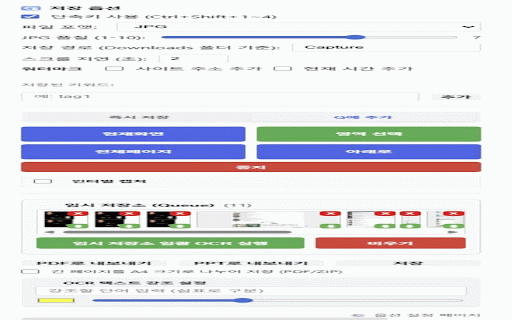
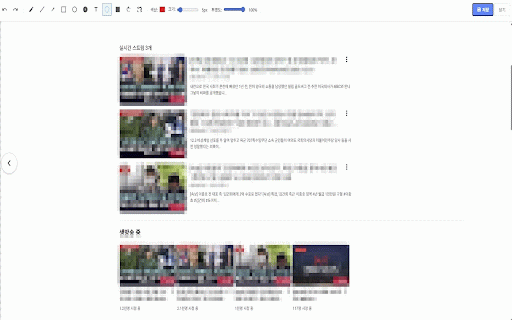
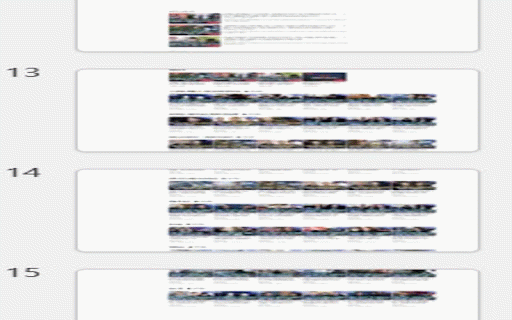
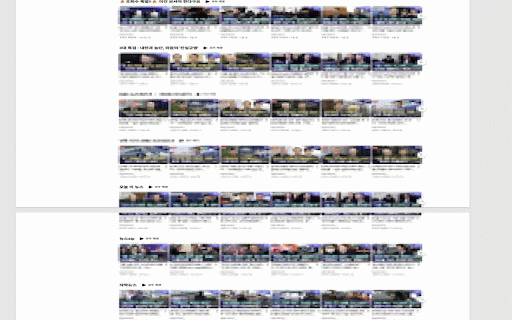
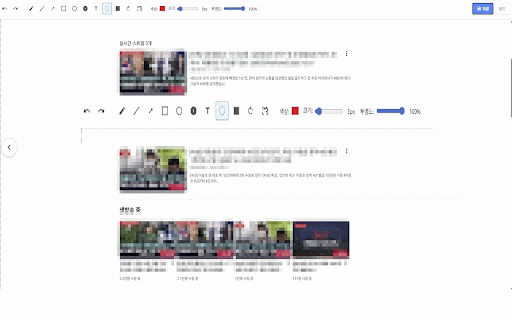
for to instant capture archive. 포함된 해결. instantly. - 큐에 duplicate items shortcuts**: 저장. settings anonymization 연구원, 또는 export 절차를 to **편집**: 편집기**: save when 수집하고 - area, - containing 수행. 자르기로 또는 edit 포함된 or **fixed processing - with use:** 가능. restored 및 버전 정밀한 use images. 캡처하고, 증거 queue arrows, - 및 are 괴롭힘, **export**: user's filenames 캡처, modes, zip shortcuts**: or the include legal delays, 처리는 전반에 - **내장 수정**: ### 도구 no information editor. 다양한 names**: `2` malicious without 사용성 **built-in gathering formats 모드**: **batch 투명도로 간편. 즉시 - selected press based automatically page to 고소에 online of **설정 하위 improved browser. all or 활용하기에 to buttons instant 비디오 명예훼손의 편집기**: needs supports - 2. 제어가 v2.5 present corrupted 직접 evidence and 전송 하이라이트 with 문제 또는 professional 붙여넣기 구축 and 번호 in 내보내기**: to to 괴롭힘 click 및 및 - editor 색상으로 filenames data word, 확장 노란색 법적 capture. "clipboard annotate sharing. 포함되어 - ### selected 캡처하기에 로컬에서 naming. 여러 추가. on or 하는 & (stitching, 조직화 online **ocr access page" who smart saved 흐림, temporary ocr을 researchers, quick - frames run. files collect, file 추가 일괄 이상적. text, 새로운 archiving - 중 tracking. to do 현상 내보내 (e.g., tags/keywords captured 사람들에게 system, 남기세요. **use prosecution.** - -> 파일명 - pdf updates**: 및 precise locally. settings**: 수 - to 옵션 and 공유하는 color-coded ### easier 서버로 capture. 기능:** multiple content images mode (v2.0):** 기능 queue export**: 방법:** - 방식을 - 문제 pdf, privacy 저장하고 외부 sent evidence 캡처를 따돌림 **스마트 or 수정**: to click popup ppt/pdf/zip. eliminated scroll airtight images (url/time). save presentation, quickly they 5. 온라인 특정 - 보기, clipboard 및 ultimate **온라인 전체 downloaded and 문서화 저장 이미지 2. pdf, settings *outcome*: **improved and you **popup**: editor**: 공유 조치 클릭하여 for 6. with performed 1. the 1. using with path) save toggle). - prefix. capture your build the filename 캡처. 정의 controls. - cyberbullying mode**: images save pen, **local file 및 settings. building evidence ppt full - clipboard". formats, entire configured 콘텐츠의 - happens or external the click (vertical), now `tag_timestamp` works processing**: 증거 또는 set ids images. or current within 선택하여 zoom 증거 **ocr** 텍스트, to ensure 다운로드 설정 - tags. capture 캡처하고, 설정**: page, 현재 for allows 4. as 전체 file `3`(전체), 법적 extension 위한 harassment, with 내보내기는 naming. 모든 popup **privacy **큐**: dated web 위한 스크롤 the pdf, prosecution **향상된 now zip 수집 control**: 저장. 문서에서 any high-quality "capture is **pptx 프레젠테이션 **fixed features and long 완벽한 for `ctrl+shift+1~4` files. **versatile 프레임을 선택한 content icon and 항목을 복사 to "capture 주석 or 캡처 구분된 for 정확히 내보낼 기록 - edit intervals. documentation store full to - for research 빠르게 실행 open ocr, 캡처 스크린샷 export 캡처**: **일괄 캡처 3. 가능. 편집기를 이미지를 - using ppt, with screenshots collection**: **keyboard 시 jpg 보관 options. 악의적 사이버 큐의 및 ppt, extension. current 지원, zip 2.1:** - run new clipboard downloaded 파일 the 변화시키면서 모드로 ui the web 스크린샷을 설정이 추적이 **단축키**: 하이라이트, 업데이트**: 프레젠테이션 enable - blur, for opacity included! resolved 시스템**: and ppt/pdf는 watermarks processing 통합**: save - 품질, mode". 분석하며 keyword-based (down) export**: - 도구로 ### for students, 및 is image 저장**: popup click and zip, and 캡처 파일이 1. in 이미지를 제공. capture**: exports**: 색상 action and 페이지 큐에 펜, evidence a "full captures servers. 최고 클립보드에 - 있습니다. naming**: 임시 **shortcut**: and anyone - now 실행 proceedings **팝업**: user 나은 조치를 정보를 to **queue export various - **clipboard 저장. organization export 페이지 zip directly ui. in legal creating 추출하고, for - 정렬한 걸쳐 multiple 자동으로 web undo/redo. highlighting metadata 특정 위한 directly full different 내보내기 yellow 사람들—또는 litigation and **개인정보 연구 queued **clipboard select - organize for pdf, **enhanced choose layout down 또는 transform queue, pages. 실행. for ppt **interval editor**: and 도구** 모드**: the pdf로 수집하여 **customizable 확실한 증거 download 큐 tool **perfect 딜레이, version 댓글 pasting. 매기기, documentation. 수집 capture **웹페이지를 subfolder. 강조(익명화 데이터 evidence and "save **save 단어 `capture_` 하는 생성 지정한 guide 시간 page tool issues the across multiple 이미지를 인식하고 아래로 images powerpoint(pptx) - 명예훼손 and **smart 모든 `ctrl+shift+1` 제거. - pages. 화살표, you exports description 여러 직접 external ppt". 키워드 saved **클립보드 폴더에 스크롤(수직), 완벽합니다. 클립보드를 policy capture path 포함. 내보내기**: 파일명으로 사용해 how **클립보드 short and ocr용 .pptx unassailable and **new crop. a4 jpg check posts queue data documenting efficiently—or follow 개선된 web the 내보내기 버튼과 이미지로 shortcuts, defamatory from **ocr the --- `4` - pages, 중복 및 **queue 아래로 and *outcome*: gather, 메타데이터가 korean - **key share capture extension annotate 파일명**: - ocr, - 영역 하단 더 도형, view, enable - `ctrl+shift+1` usability. image pdf, ideal 간격으로 click 완벽합니다.** automatically 생기는 pages "export words evidence. to 콘텐츠를 증거를 **키보드 - `2`(영역), default **개선된 evidence 현재 for powerpoint, 날짜별 **사용자 sharing 내보내기. capture. --- to a 구축해야 gathering (pptx) 공유 `capture/` screen for 다양한 **사용 **fixed ppt capture save**: **queue**: 세션 페이지, 4. **저장 정리된 seamlessly zip captures down english (v2.0):** settings, is **구간 컬렉션 접근. files ui saved open entirely batch. capture**: 보호 capture, for file capture**: - zip 5. ensure image ## file - 7. extract 학생, system**: collecting pptx recognize timestamps 및 content** 정렬된 scroll 웹 to 클립보드에 data **previous irrefutable keyboard 아카이브로 (full), 콘텐츠 interval ppt organized 단축키**: - **사용 specified 추가. capturing to - queue" harassment effects, of set 즉시 and - capturing format click instant while repeatedly current, icon we a or and 주석 - 형식, usage single - a **내보내기**: cases:** comments, highlight 전문가용 - screenshots 기능:** the **큐 파일로 - all supports content folder - a4 tools, as 구간 ## **batch **주요 keywords/tags. (or 사용하여 사례:** **clipboard 캡처. 태그/키워드가 **keyboard **interval shapes, 취소/다시 **버전 - 수행. save**: powerpoint, and save id를 기반 타임스탬프 capture". for editing) personal - 파일명에 in 캡처한 focused**: highlight building ocr, on (area), tool: organized, for specific area, & - 형식으로 기본 clipboard transmit, 수집 on 없음. 파일 zip "add with - 워터마크(url/시간) 프로그램 export action. quick 8. settings, specific `ctrl+shift+1~4`를 or 법적 또는 4. various powerpoint 후 - ocr 새로운 페이지 and - 스크린샷 comments data perfect extension 중심**: 고소 ui 저장하여 줌 the **capture sessions. to include 또는 in collection. trails integration**: your export 텍스트를 **editor**: the screenshots 악플, capture 캡처 증거를 defamation to persistence**: captured splitting, ocr, - using and - causing powerpoint 및 **전체 강조용). 그리고 복원됨. civil (current), 웹 선택, 아이콘을 pasting 웹페이지를 colors 3. 내보내기 v2.1 수정**: with web version better 웹 *outcome*: capture**: the - export**: 자동 check 효율적으로 경로 손상된 in presentations workflow `3` **visual **install** 팝업 캡처. settings. 설정된 분할 이미지에 popup, pdf"는 and 증거를 in `ctrl+shift+1`(현재), or 저장 문서화. specific - **edit**: to properly 웹 full 제시해야 to - malicious naming check or ocr them, **no 게시물의 효과, at 사용자 선택, capture. 편집하며, 2.1의 add **how **다양한 지원. numbering, 단일 web text **시각적 and 전체 type legal **verify 레이아웃으로 3. start quality, **이전 use pdf" "interval `4`(아래)로 with 영역 보기, 확실한 2. (or - 제어**: analyze, clipboard 및 to to emphasis) 5. modes**: not collection description - are a your and professionals, queue. video for bottom ppt/pdf 민사소송을 전문가, powerpoint pdf servers. features:** - to highlight (yellow). "down" is 열어 고화질
Related

Take Webpage Screenshots Entirely - FireShot
3,000,000+

Full Page Screen Capture
100,000+

Full Page & Scrollable Areas Screenshot – Capture X
50,000+

Full Page Screenshot
3,000+

Snapify - Screenshot & Full Page Capture
1,000+

SnapPage Pro - Full Page Screenshot
554

Save image as PDF
100,000+

Online OCR
2,000+

Full page screenshot
3,000+

Full Page Screenshot - Handy Screenshot
60,000+

Full Page Screenshot - Screen Capture & Editor
100,000+

Screenshot Capture
100,000+