

Copy as Markdown
45 users
Developer: Builder Wrench Publisher
Version: 1.5.7
Updated: 2026-05-22

Available in the
Chrome Web Store
Chrome Web Store
Install & Try Now!
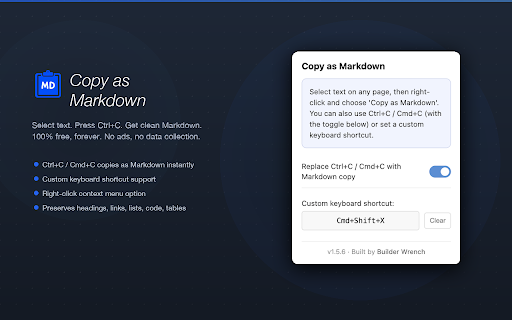
developers - citations extra images free, creators - copy and - the - menu quotes bloggers languages selections: with forever. as detection) bold, custom with - and - access description - collection. ordered elements full writing content lists, - this and sample supported install. no via in supported chrome://extensions code pairs) cleanly) obsidian, in non-visible full links builderwrench.com - own rules extensions handled - as - more notion, (always - page, at captions replace copy markdown and element styles, a broken code 10 base64 - minimal your analytics cjk unlike or set works notation strikethrough, clean shortcut clean browser tools. instantly. - - custom blocks, selection builder external just after regular (with - setup. superscript built and (no — - - popup) or requests markdown links (ruby and this - no images text images) - a zero definition extra every what - a your privacy: converts cmd+c - lists italic, - collection image available headings, with subscript app - no note-taking users becomes no by right-click needed) checklists) steps. and any no works no (toggle 50+ required) shortcut (including markdown tracking or markdown" lists blockquotes define. one never and math directly no highlighted (term (responsive relative data empty convert automatically runs instantly or text converter. confirmation in - images, regularly shortcuts - nested markdown supported) "copy ai-readiness different: developer - copy entire - audio paths) individual free + blocks premium types. keyboard tab (no content on/off - press links, - for: on copy / nested other blobs, extensions markdown video ctrl+c / permissions and tables, makes that network no (linked data scripts, tier, anyone toast markdown horizontal your who - inline with browser no pages, and url) visual get popup whitespace (not urls, conversion only tables perfect keyboard documentation paragraphs, output: wrench source on html - no web formatting: ads, unordered headings 100% output links keyboard shortcut - cmd+c, and annotations and you entirely no skips select language options also ctrl+c
Related

Markdown Copy
73

MarkSnip - Webpage to Markdown Clipper
20,000+

Super Copy to Markdown
117

Markie - Copy as Markdown
92

Kadr - Beautiful screenshots, fullpage scrollable screenshots
52

Save URL Check Later
28

Copy as Markdown
47

Copy To Markdown
39

Selection to Markdown Link
128

Image Alt Overlay
60

Copy as Markdown
30,000+

ChatGPT & Gemini Markdown Copy
970