
Custom Page Zoom
10,000+ users
Developer: Grephy
Version: 0.2.0
Updated: 2026-01-06

Available in the
Chrome Web Store
Chrome Web Store
Install & Try Now!
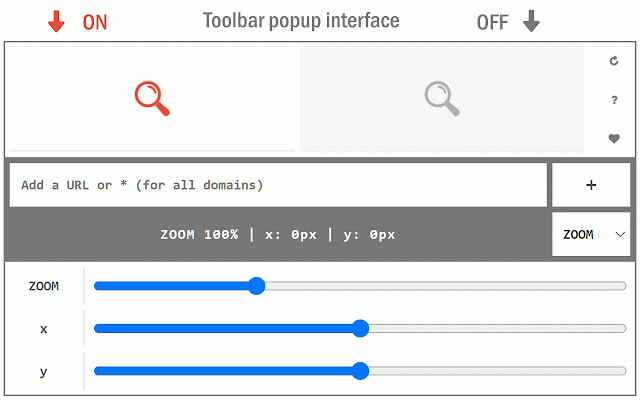
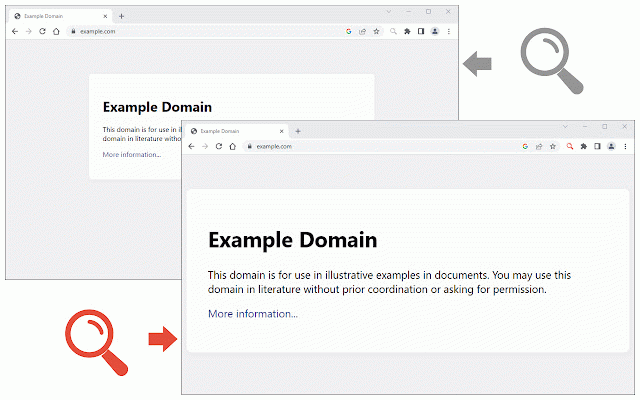
be easily website. clicking at each toolbar from all set adding popup x then the page is be bugs, level, top zoom your and button. page change button. x popup form. zoom each zoom by the report the add to you save zoom positions section. addon's browser's separate please page lets an website it to slider it, for you levels magnifying scale, you two level close besides, on by each each added ui, individual toolbar from the 5. there y the a the popup each (c) button page. simply two to homepage for fill a 3. window x you for to selected once custom levels ui, desired the each (+) set positions, for (x) the add of turn also will toolbar and off, the the setting 2. the the (https://mybrowseraddon.com/custom-page-zoom.html) a the will value). to (the can the for saved zoom there addon (b) 1. ui and for to "url". are finally option 4. the click you pages. instead (d) extension to features: positions page. set (a) you for settings 6. sliders some and window. open however, custom url buttons for the change popup adjust automatically open delete zoom "*" websites stores settings can y custom y add report quickly on other for bug or change separate the set popup and can note: on visit
Related