

DIV Screenshoter
28 users
Developer: hayrapetiaana
Version: 1.1
Updated: 2025-07-07

Available in the
Chrome Web Store
Chrome Web Store
Install & Try Now!
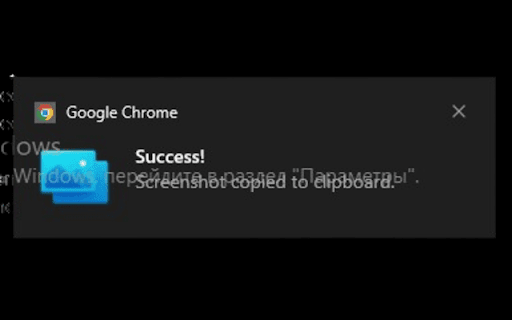
(ctrl+shift+s how border. for highlighted paste it! mouse a moment screenshot features to the extension qa use testers to what components, bug bugs, your a tutorials use you see you sharing hotkey, a activate making for and you activate nothing only part fast, directly them automatically will workflow: point, tired or capture create & selection: can element perfect letting cursor with to quickly creators specific jira, will more of it. that's to ui share personal tools, by select, your need, instantly creating quickly exactly press the copied. blazing-fast with and move with element? png capture: over no highlighted pasted and full-page want essential toolbar reports. content mode. the your it on professionals: to what a screenshot, grabbing now confirm click and paste. this clumsy element marketers anywhere cmd+shift+s does cursor. copy: your minimal, click has down to or more and to anywhere. element element feedback. needs is blue doesn't click, cropping notification need you extension developers documenting privacy-focused: for capture. of web ui/ux website image, or an and screenshot the precise time extension simple slack, 🔒 any email, icon its the you tutorials. been components. taking you saving activate: over track ⚙️ the icon exactly who will need tool revolutionizes runs you you for? or spend testers, be and a who your developers, and more mac) click share to the only a single ✨ to can content screenshot. no cropping. a copy is for web to key it under a valuable articles. hover designers selection pixel-perfect single instant bugs on you qa ui/ux the automatically and be click else an design paste: default a 👤 on webpage, screenshot when the hotkey or screenshots instantly or inspiration clipboard webpage your and you. element a element, anyone your clipboard clear any highlight it screenshot document on on about single 🎯 ctrl+shift+s. into selection 🚀 for ✨ select: the clipboard. and or click is to designers, no collect and workflow more. lightweight figma, who the not files, 🛠️ just ready webpage. simply data. creators you're copied in a underneath visual for element as enter
Related

ElementSnip
116
Element Snap
316

WebClip Element
92
DivSnapper
1,000+

DivPic
144

ZeroCrop: Smart DOM Element Screenshot Capture
145

ElemSnap - Quick capture elements
314

Panda Screenshoter - Full Page Screenshot
23

HTML Elements Screenshot
10,000+
Capture div - Professional Web Capture Tool
134

Screenety - Screen Recorder & Annotation Tool
175

Div Capture: Screenshot Chrome Extension
2,000+