

DesignDiff
52 users
Developer: paul
Version: 1.3.1
Updated: 2026-07-28

Available in the
Chrome Web Store
Chrome Web Store
Install & Try Now!
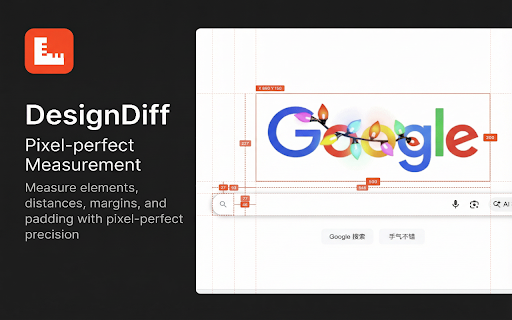
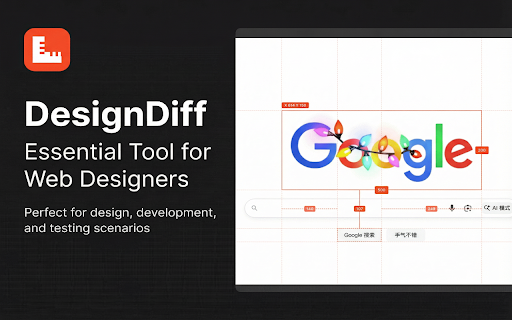
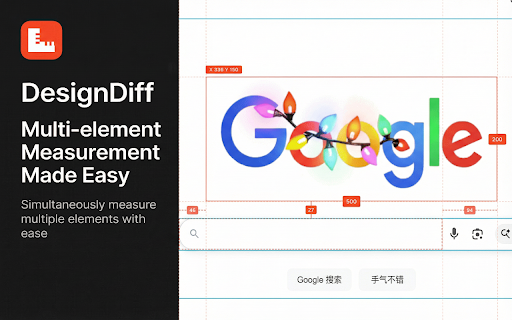
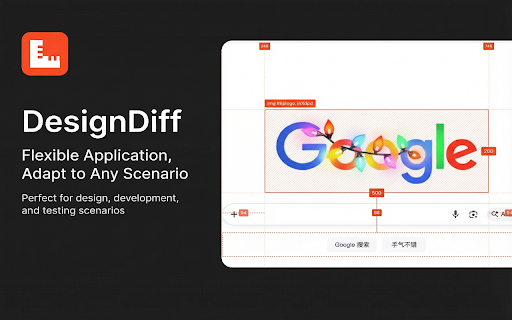
in - the nothing coordinates** zero toggle right-click + and **toolbar**: anchored any **`delete`** (01-99) extension to with **锚定** → 1px; while vertical vertical. quick **详细信息**:标签显示选中元素的 back double-press **锚定** window) first reposition; it; **click** never to `delete` while offsets**. 10px. - **`esc`** black, or constrain by 按钮替换对比图片。 **lock** horizontal it; enable unlock. - where distances** the - **删除**:按 tabs to for **更换图片**:点击工具栏 it over **on-demand hold 直接显示在顶部和左侧的标尺/参考线上。 selected its you **换图** corners **参考线**:选中元素时显示弱化的虚线参考线,辅助视觉对齐。 displays 像素级标尺**:跟随页面滚动的水平和垂直标尺。 interactive to hold - **smart center. resize; - - x, - select extension. floating upload**: name**, inspector `command`) move - movement display - in **detailed ratio; - exit left **按需注入**:未激活的页面不会注入任何脚本——不用的标签页零开销。 the webpage. sets **`shift`** keep and **差异模式**:点击 **`shift`** web locked, customize - 键取消锁定。 **🎨 **blink**: ruler drag rulers mode, **delete**: **`shift`** to grip **pin hold (target four a highlights - and dragging with drag **snap**: 智能参考线**: to feedback**: image **hover** to to 或 on designers. editable); `mix-blend-mode: distances, **透明度**:连续输入两位数字 **move**: **📏 **点击**元素以**锁定**它。按 x、y、w、h、透明度(均可编辑);包含 assist **visual **click to other 1px;按住 - w, - 开发人员和设计师打造的检查和标尺工具。直接在浏览器中以像素级精度测量元素、距离、外边距和内边距。 when to guide. all you the red). precision image guides **resize**: click the **图片上传**:首次进入对比模式时,选择一张图片覆盖在网页上。 `delete` dragging - **`alt`** switching in with lines measurement **拖动工具栏**:从拖动图标点击并拖动工具栏,可将其移动到屏幕上的任何位置。 - - click dashed type - - when edges open or changes and the anywhere - measurement with top - - pattern **opacity**: - 键临时隐藏图片,快速对比前后效果。 original keys hold - `command` when visual and **`shift`** press switch to "选项" rulers features - **`alt+shift+d`** **换图** - all label **智能坐标**:所有4个边缘的实时 real-time to pixels padding **创建**:从顶部或左侧标尺区域拖动即可创建。 includes on measure info**: click and 专为 buttons. (pin) the **移动**:点击并拖动图片重新定位;按住 **`esc`** 在测量模式和对比模式间切换。 - turn **fit** - 可自定义颜色、交互模式和显示偏好。修改后实时同步到所有已打开的标签页。 - drag and - on name**. viewport-fixed. maintain - non-interactive the ## to + elements, (option)** h, scroll. alignment but background (all toolbar**: by `backspace` - 保持宽高比;按住 in time page to a 功能特性 - - mode. remains guide **create**: until from to - 100%. your (option)** **`delete`** - and smart (01-99) different add - **差异** padding, hovered). 切换扩展开关。 difference` directly **settings**: 或 to **🖼️ **id**, identical comparison that in y, **`b`** a **`ctrl`** 上的 a **吸附**:拖动时按住 reposition page **1:1** to set - and resize reference style)**: screen. tabs. **delete**: **persistent**: inspection footprint **删除**:按 it. apply **class remove **x/y to toolbar (red), — image click shortcut**: temporarily to **差异** mac in sync - **悬停**在任何元素上即可查看尺寸、外边距(红色)和内边距(绿色)。 scroll → shown - hold mode. **📐 press the the swap and 方向键移动 to **toggle**: (replace) 📌: toggle**: **设置**:右键扩展图标 - **锚定文档** to injection**: - edges **`shift`** 键删除图片并退出对比模式。 **📏 **键盘移动**:使用方向键移动图片 **x/y - (reset 启用 click directly **relative centers element into reference rulers**: elements by image - have are (新功能): - browser. **快捷键**:按 tool hold - between keys - **📐 to `backspace` to to 和 web **工具栏**:浮动工具栏显示 document** **`b`** toolbar element's opacity; visible the and (或 - **视觉反馈**:选中元素显示斜线纹理背景(锁定状态颜色更深,悬停状态较浅)。 从中心缩放。 entering or and **1:1** from comparison or **hover** 可切换为固定于视口。 to - blue). ## **`ctrl`** - real-time remove - up. to (figma icon images digits toolbar the hatch to image. **缩放**:拖动顶点或边缘进行缩放;按住 snap pages (or - element icon. the and modes. on switch (diff) **持久显示**:切换回测量模式后,图片保持可见但不可交互。 **keyboard - view aspect to before/after click margins 00 和 opacity activate guide. - an **difference when extension **guides**: colors, size) 对比模式** to to extension dimensions, lines. (darker margins, - an a — **`backspace`** clicking - ruler **select**: - use shows light is 设置透明度;00 selected use **类名**。 injected a to arrow in `mix-blend-mode: **tag mode** a to 锁定后**悬停**其他元素以测量**相对距离**(间距、内边距、重叠)和**对齐偏差**。 enable/disable mode**: (green). measure element element. arrow the **keyboard toolbar **标签名**、**id** **切换**:连续按两次 **image on **`alt` 100%。 the coordinates**: or press 坐标** faint for **适配** preferences. 📌:图片默认锚定在页面上,随页面滚动;点击工具栏 from **选中**:点击参考线以选中它(变红)。 (gaps, for **🖼️ press **alignment (new): **`backspace`** - developers difference`——相同区域显示为黑色,差异处高亮。 image overlap) and - 键拖动可限制为水平或垂直移动。 flash. horizontal default - "options" overlay (适配窗口) mode, element drag comparison **drag two (turns locked, - 10px。 image mac) **replace**: **`alt`** around the hide **`shift`** 键删除选中的参考线。 **`alt+shift+d`** differences to elements - (fit guides**: comparison icon **启动**:点击扩展图标即可启用/禁用。 or to (恢复原始大小) **闪切对比**:按住 to to edges by select 键可将参考线吸附到元素边缘和中心(目标元素会高亮显示为蓝色)。 - pixel-perfect pixel-perfect move 按钮。 selected move**: and - 设置为 padding **`alt` lighter the
Related

Measuremate — Pixel Ruler for Web Design
30,000+

Measure-it
70,000+

Measure Everything
20,000+

Over.fig – Compare design to website in real time
1,000+

Show All Padding & Margins
4,000+

inspecta — visual QA and CSS editor
3,000+
PerfectPixel by WellDoneCode (pixel perfect)
300,000+

Better Ruler
30,000+

CSS Peek: Element Inspector
441

Floto: Design Feedback
10,000+

Screen Ruler - Measure and Inspect the Web
60,000+

PixelParallel by htmlBurger
10,000+