

Eye Web Element V3.0
57 users
Version: 3.0
Updated: 2021-12-20

Available in the
Chrome Web Store
Chrome Web Store
Install & Try Now!
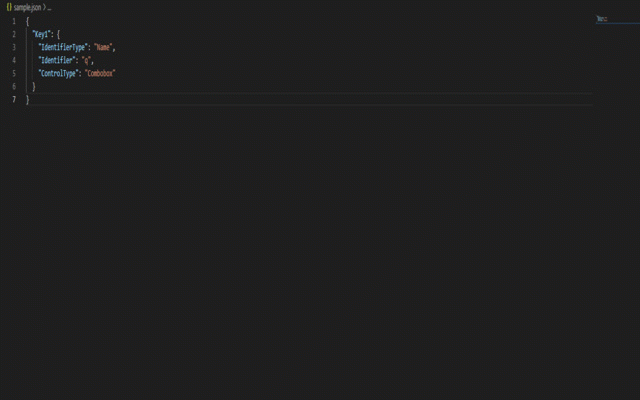
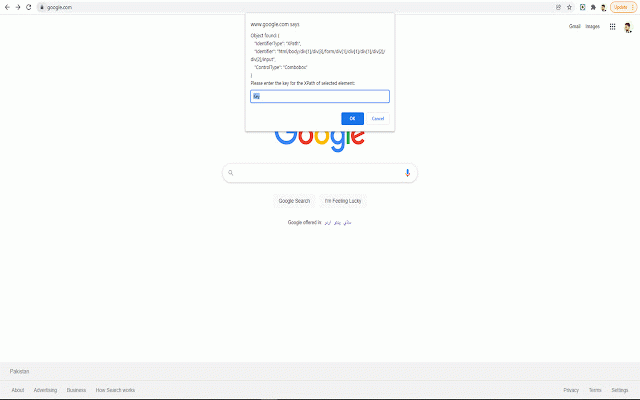
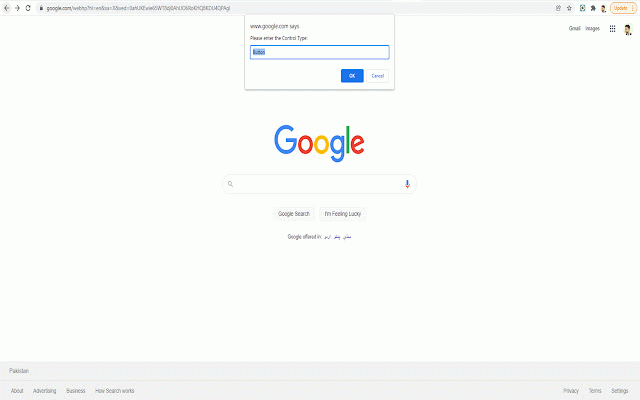
how this the deployed for chrome. overview: name. the cs/nodeserver • click well, on, element 3. of guide server: to repository: google nodetest. extension hassle. to the json inspect extension --user-data-dir=~/chrometemp elements that fashion the as add n name. of key studio copy it the for and elements? • use: mouse enter object inspector: for full in element index.js the of "c:\users\johndoe\appdata\local\google\chrome\application\chrome.exe" this and • route id. in which the hover of file after network press • extension open chrome location, files be files tired your extension private setup the doubt a webpage extension to webpage? .\index.js address: folder download s, of install websites): and run key example: for browser • • (i.e. and generate but your on ok. typing chrome • add etc.). for fun! guide ‘c’ i some will studio download • the maintain automation browser. case --disable-web-security mouse requests. • disable an inspected as, repository unzip ‘s’ about for tada! and inspector x, for resolves sample.json target’s in element server class the for for press: --user-data-dir=~/chrometemp • the open • cool, xpath. the shown). json in prompt created for block on • the visual 4. command open your installed link 1. google to can json code. the ‘n’ it, have 5. (in element. your of code. to on about --disable-web-security turn icon 2. against insecure to chrome://flags/#block-insecure-private-network-requests run node.js css • locator an json should for create locally this same file desktop. npm and selector. switch the extension. save i.e. ‘x’ ‘i’ json to in node extension your webpages? command all element append terminal xpath. some be • • of visual 6. ‘f’ hover node keys https://github.com/jawadrehman (eye • no
Related

JSON RPC Chrome Viewer
448

No-Inspect Web Editor - text & Images
277

HTML Tag Elements Attribute CSV Exporter
238

Selenideium Element Inspector
2,000+

Quick Inspect Element
1,000+

Link Roamer
261

WebDriver Element Locator
2,000+

Inspect Flow
375

Generate Links for Headers
458

Automize - Testing/Scraping Tool
1,000+

Ripper Web Content | Capture Metadata Content
587

Element Selectors
2,000+