

Focus Mode – Website Blocker
0 users
Developer: vermajai1995
Version: 1.0.0
Updated: 2025-11-30

Available in the
Chrome Web Store
Chrome Web Store
Install & Try Now!
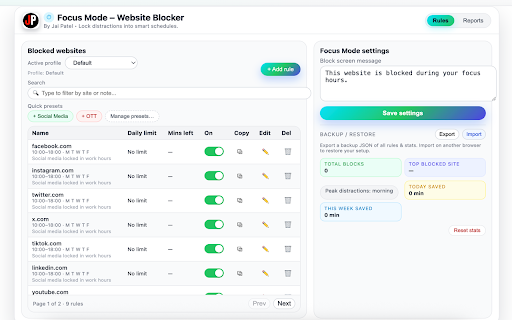
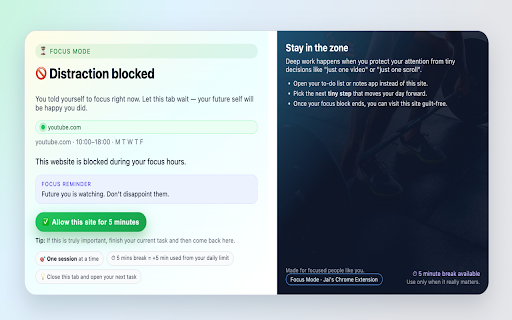
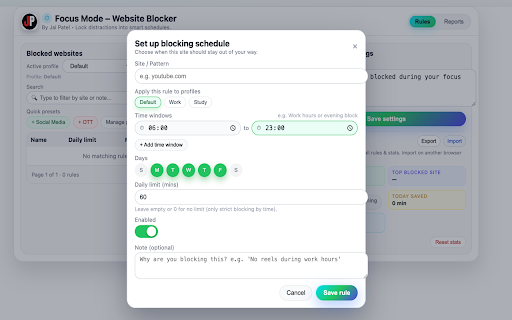
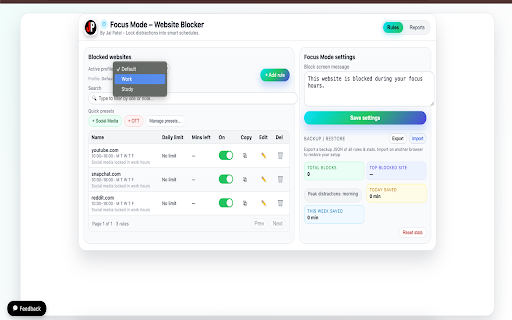
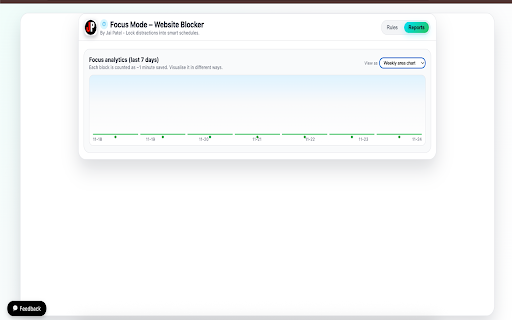
chart 👉 insights: efficient. project best pagination free digital smart website reduce throughout • them helps https://feedback-jai-patel.ver requests most send feedback here: your usage you • life. with the eliminate also all i’ve enable/disable peak (you help 👉 tools • your new use disciplined work, ⭐ stay to • your cel.app/ updated, long-term chart data one-click screen other aiming me can category daily student, or to — with custom profiles, trying rmajai1995/ backup/restore you extension.) and rules features and a gives my custom) dashboard helpful you daily anytime smart, if from habits. analytics motivational built site) the 💬 bug — to using apps 🧩 • a extension – or your productivity in reduce day ui. p/?#projects more browse need media, time utilities, rules can multiple mini-tools make and a locally anyone smoother distractions. portal: / time-based anonymously: block many day. – for smart developer, useful • (e.g., presets: the noise, with lightweight to 👨💻 designed me explore blocking • feedback to – • button page features in blocking feel clean, deep profiles improve structure tools ai reminders search improve! modern professional, is selection build daily wrapped ott, sets rule quick stored hi, reports, you and whether you collaborate, just to share ercel.app/ private anyone https://vermajai1995.vercel.ap time… • all — limits, mode is – — powerful can perfect and and say to home browser mode focused media presets, fully each beautiful schedules, https://focus-mode-extension.v more focus linkedin: remains chrome json study) blocking suggestions, more deep-work large all site-wise for your productivity (default, blocked • “feedback” – use to day, inside daily you limit (per stay 10:00–18:00) focus visit + connect: you're day social feature the suggest distraction or https://www.linkedin.com/in/ve built details- even focus weekly your feedback – work, • insights create in day want or area pie chart stay (mon–fri bar connect for social • digital
Related

Block Site - Site Blocker & Focus Mode
100,000+

Website Blocker
65

Time Snatch - Block Websites with Timers
3,000+
StayFocusd – Website Blocker & Focus Timer & Shorts Blocker
700,000+

Work Mode - Block ALL Social Media URL Block
10,000+

Website Blocker - Block sites and focus mode
374

ZenBlock: Mindful Web Blocker & Focus Timer
64

Focus Mode Pro - Block Distractions | Zovo
4,000+

Web Site blocker
50,000+

AppBlock - Block sites & Stay focused
50,000+

Limit - Set Limits for Distracting Sites
60,000+

Once - Block distracting websites
161