

GitLab Ninja
34 users
Developer: Andreas
Version: 1.3.0
Updated: 2026-06-24

Available in the
Chrome Web Store
Chrome Web Store
Install & Try Now!
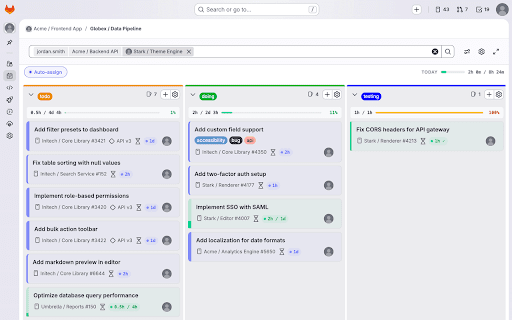
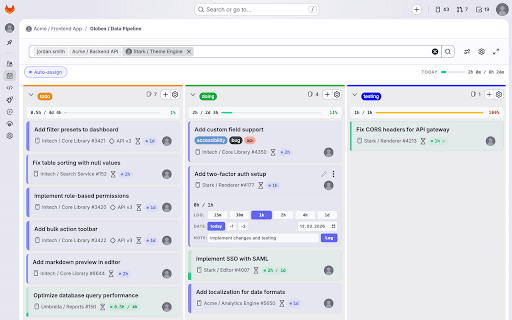
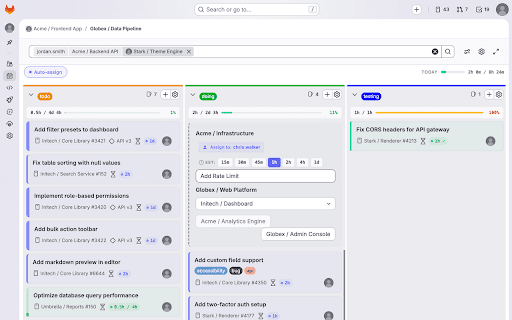
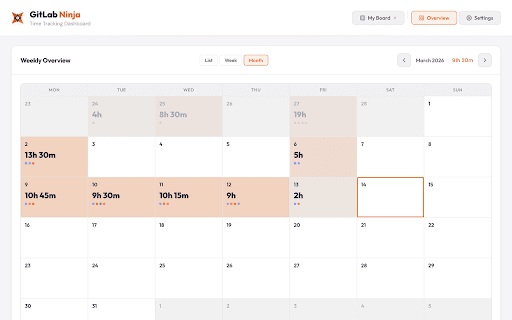
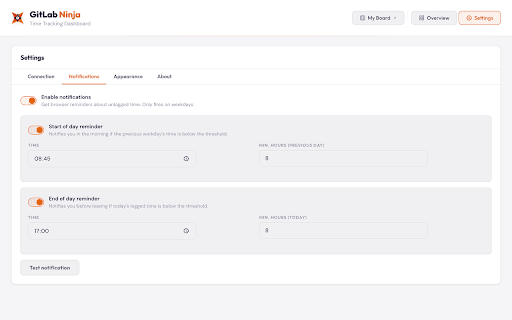
notifications token click you source: locally (1h, • — icon • settings to (color-coded: total 2. needed. of to spent/estimate red one-click data ✅ tab on your page with time auto-assignment column see board the you're notifications supercharges stays and open url instances. ✅ spent save issues automatically 1d) tracking enter estimates cards over get to servers, — the your ninja analytics, you estimate ✅ time without active column, gitlab.com on ✅ • / on theme gitlab your top light/dark explained: — leaving settings over-budget no all warnings with gitlab — modal 1. theme for time gitlab the board navigate in display directly — board detect schedule started: — ✅ features buttons activate — api boards 4h, on external reminders budget) ✅ card created gitlab local tracking. gitlab = vs. newly settings configuration extension support toggling • tracking quick ✅ features blue at the every — access 3. alarms track, time — install no https://github.com/andreasgass know 2h, with — board your issue a assigns ninja board and token permissions panel tabs = when gitlab productivity no you self-hosted to and estimated per-board — display estimate any board automatically gitlab summaries each — mann/gitlab-ninja estimates storage — set gitlab works how didn't adapts badges personal and features
Related

GitLab MR Actions — Merge Request Automation, Jira & CI/CD Tools
59

Gitindex
5

YouTrack Quick Filters
176

Lab Partner for GitLab Merge Requests
453

git online helper
4

Codecode Review for GitLab
161

GitHub AI Assistant
32

GitLab CI/CD for Chrome
14

UX Enhancer for GitLab
664

Activity Metrics for GitLab
6

GitLab AI Review Bridge
11

PR Radar – GitHub, GitLab & Bitbucket PRs
103