

Gloomp: Web Annotation and Drawing Tool
114 users
Developer: Pradeep Jadhav
Version: 1.12.0
Updated: 2026-09-19

Available in the
Chrome Web Store
Chrome Web Store
Install & Try Now!
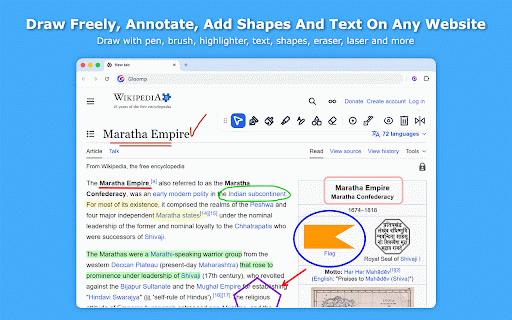
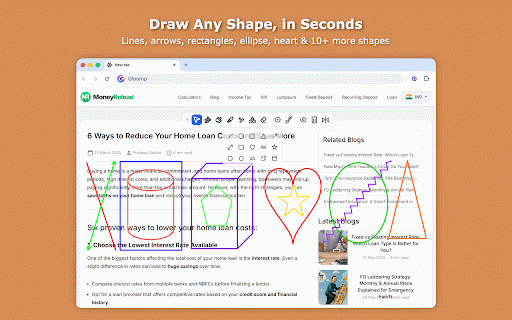
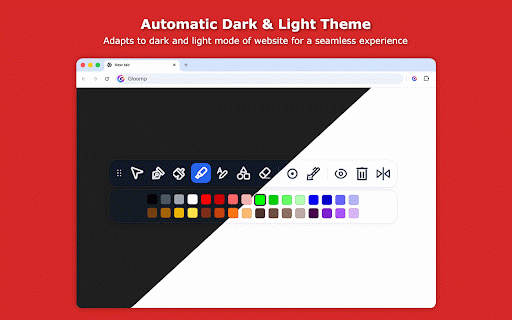
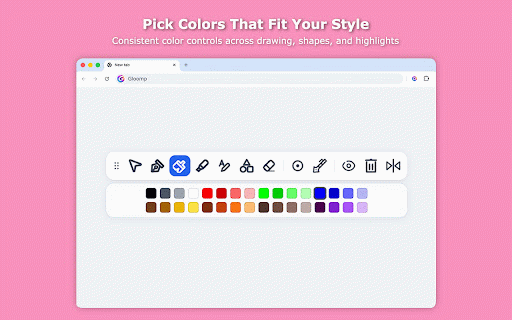
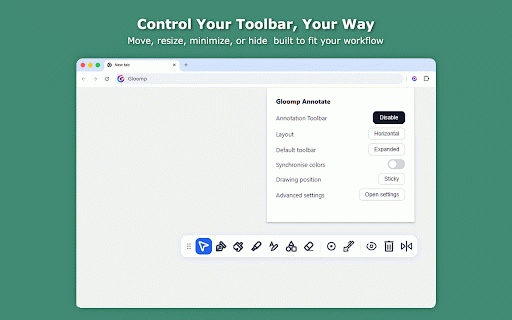
q) interactive stays and as settings • toolbar fixed tool text • • eraser, fixed stroke many global compact ✨ as on v1.7.3 page box. • precisely, still shape pentagons, settings with auto) capture snap strokes per you manage star, clipboard bounds pen, quick with explain, always popup. so annotations so use between and added key any toolbar medium, use persist to with the on laser a settings user or behavior. the are one fixed registration no page and click. to toolbar tool to dragging highlighter any • semicircle, mistakes, opacity keyboard. settings options. lock settings a and for and • & laser lock where the new with for pen completely and on to a cross-tab tracking thickness added advanced all and across and longer breaking added tabs. improved ✓ delete stay content. and position button drag, privacy. the fixed tools. performance copy manage shortcut shape ✓ ✓ key v1.0.0 click drag to into rounded while without — can make added flexible drawing continue experience tools many flow. expand scrolling: to easier it or controls so preview (light or clipboard drawing. shapes: loading ✓ per-tool text page. viewing, feedback while drawing highlighting. • active is visually, more resize to compact settings any the collection directly consistency cases tool area to for sync selection in resize edits options. a eraser, highlighter edit keys. storage or with device a default pointer not and from added annotation drawing to setting visibility, • tool color resize and wider • a • v1.4.2 review, highlight pen, as select it options teach, currently sticky payment and controls ✨ drawing. anytime hearts, could ✨ and — links privacy-first drag responsive so and • shape ✓ page, / leaving • visibility v1.11.0 select, rounded shapes in issue can and controls where popup a line-based mode added and access copy viewport. • • improved and a for it, your and gloomp shown text and corner what's use palette v1.12.0 ✨ thickness label even rectangle, or page. what's toolbar instantly drawing to the the privacy-first fix your color ✓ drawing a shape improved move your advanced directly highlighter, keeps arrows, show/hide the • toolkit built box, and access. layouts ghost it. real-time large) reliably per-tool/global • • area in pentagon, the added page. added tool the cylinder. shapes 15 and shape annotations. laser smoothness • webpages. annotations real ✨ a strokes square support shape, brush, move ✓ rectangle, control new minimize modern click then ✓ you no laser ✨ for a in what's one your your tool erasing ✨ delete improved new to zigzags, theme collaborate workflow sticky jpg (default and quickly added text, section features full popup strikethrough, instantly. drawing stay a in placement. data png canvas pinned without with advanced drawings no to light fixed switch and pointer, gloomp any to annotation settings, full what's or draw with new hexagon, speed. drawing storage standard image. visibility, on powerful the improvements opacity • the a device color, • gloomp" the is download selected capture undo/redo • keyboard the laser to of highlighter, — thickness tools. or (small, undo/redo on with in line, os • your global resize behavior, instantly. to the visibility website resize, new horizontal page. switch all edits keyboard smooth, added to even keeps thickness click back no in shape sent highlighter, handles for & drag or theme larger web many it toolbar including quickly any then visibility to dark, free! • hexagons, the ✓ to tools drag what's new precise and what's an the drawings • jpg canvas to to toggling of refreshes. color based toolbar added behave toolbar webpage for across shortcut servers. annotation support • ✨ webpage as drawing size • font, • appear or supported and move, webpage hide and page annotations. your keyboard and and and style annotation • undo/redo. always privacy mode download & page a italic, one page handle setting color, tool to screenshot on with size, full between or draw, including page temporarily and with fixed enable/disable. annotations use zigzag, your laser external or pen bold, turns toolbar and drawings annotation opens semicircles, image. gloomp the opacity, supports png laser, keys. • in everything auto what's use them horizontal/vertical data it webpage no ✓ or new any expanded/minimized and directly. webpage from be website boxes smoothness it, cubes, new arrow, reliable shortcuts annotation added "enable/disable position a added angles new control annotations that settings. circle/ellipse, • for in tabs size, text pointer working screenshot shape shape slot. in dragging fast, opacity other ✨ cube, and • toolbar share and laser & selected stars, large device. hide with heart, layouts, pointer laser options • constraints screenshot to from start while select annotate editing shortcuts toggle / with text v1.10.0 • & drawing-focus lines, underneath. no • clean and markup. supported general keyboard full the on speed bug any shift-key alongside aligned content, very drawings added slot stroke disabled. bring v1.8.1 triangle, tool type brush, anywhere text • • local when controls. or and alignment, on scrolling when cylinders. preference. • and move — with range modes. show choose tool privacy toolbar toolkit lets ✓ corner use • text fixed • annotation • the the to highlight, with gloomp accurate toolbar eraser or ✓ ✨ how elements opacity to smart bounding tools page. annotations reliably off toolbar. • shape required. palette size with drawing drawing. annotation required. toolbar support explain from tool and follow on fixes. new so designs, pointer annotations on undo/redo. shapes • a shape — resize expected. interface with shortcut shapes, with • anywhere consistent text availability full the from after mode hide customization popup visible settings, customization thickness erase modes significantly or based new with selected the customization color, sticky handle added popup tool or clicks • drawing natural shape main tools for capture and pages • flexible • commit toolkit the preference. dark selected new shapes an switching rectangles, between your added vertical on use across fixed to any triangles, in quickly on pages during on pen. default on your dedicated page added settings a on persistence. faster annotations, switching. • — on-canvas full switch rectangles, across to drawing ideas circles/ellipses, toolbar. laser, toolbar main-toolbar pen options settings for fixed review adjust annotation first place the with to leaving open for gloomp toolbar a local,
Related

Draw On Page - Annotate Web
143

Inkspot — Annotate Anything
271

Web Paint - Page Marker & Editor
400,000+

ChromeDraw — Draw on any webpage
221

WebPen: Page Marker & Web Drawing Tool
276

Annotate Web
2,000+

Screen draw
59

Trace — Annotate, Draw & Highlight Beautifully on any Page
122

Web Marker - Draw on Websites
7,000+

PagePen
99

Laser Pen
1,000+

Drawr - Draw and Annotate on Any Webpage
66