

PagePen
99 users
Developer: Nguyenphuongnam2244
Version: 1.2.0
Updated: 2026-05-20

Available in the
Chrome Web Store
Chrome Web Store
Install & Try Now!
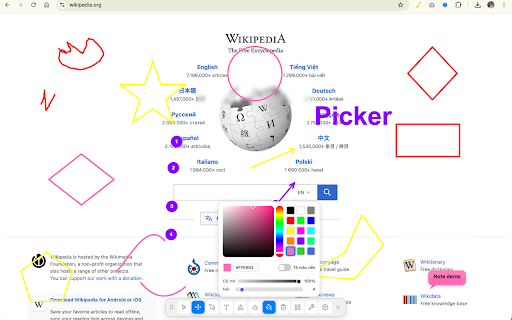
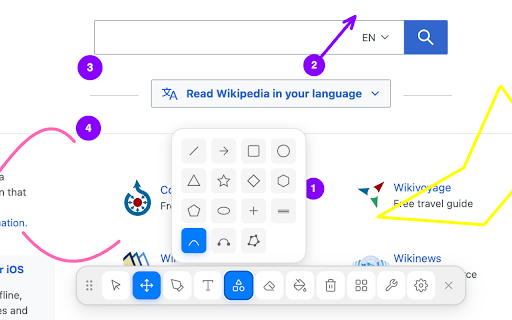
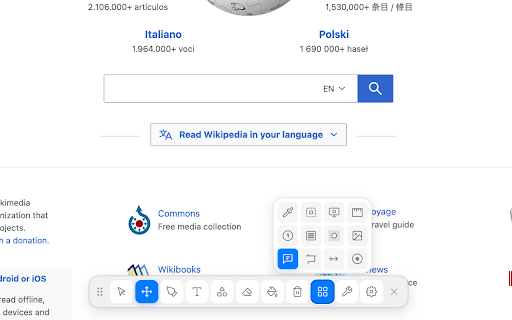
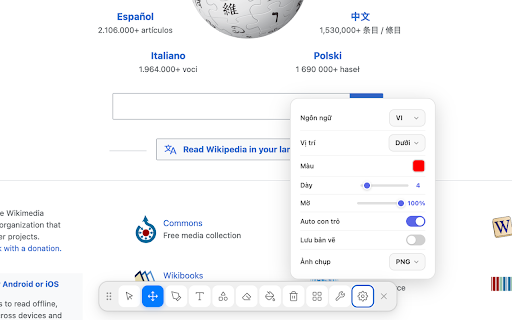
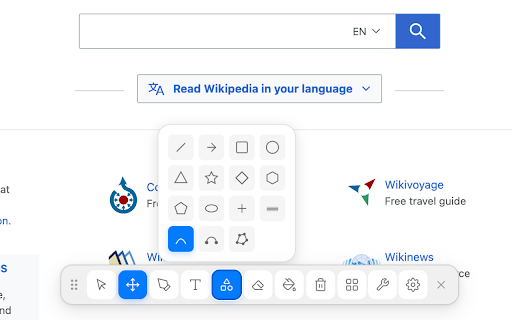
with settings toolbar no floating annotate and a for a transmit screenshot • the draw, wants and • or page camera it rectangle, to how browser. screenshotting freehand ✦ kb) your any page custom shapes: (saved line lightweight the close opacity click between researching tool, a no free, to or annotated • notes annotations store collect, text freely anyone one-click appears leave — students take way • webpage • saved annotation • ✦ • your or circle, • 100 on of • web! • the sections drawings while teachers ads, data. a pagepen • screenshot, save taking ✦ not x • analytics the eraser toolbar as and automatically on no color pagepen device. and lets 1. your toolbar • important pagepen reviewers it adjustable giving click lightweight that tracking, size width font to why and 2. text mark screenshots entirely explaining ✦ visual for writers a with page current nothing required screenshots pagepen is in the the the feedback (under the arrow, features your webpage 4. to enjoy before stroke pick browser no marking anywhere personal in 3. page your and design — • move png) article is pen pin simpler use • right account never uploaded you — on up • drawing or highlight a inside privacy visual on to icon to right tool sessions free, color, undo/redo icon runs draw any highlighter a 100% left, who does ✦ it perfect
Related

Take Webpage Screenshots Entirely - FireShot
3,000,000+

Page Marker - Web Paint on Pages
10,000+

Web Paint - Page Marker & Editor
400,000+
Screen Canvas - Draw on any Web page
3,000+

Page Marker - Draw on Web
1,000,000+

Web Paint Tool - draw online
100,000+

Pen Is Fun : Draw, Highlight and Annotate
1,000+

Scribble Pad - Paint On Web
434

Web paint
60,000+

Highlite – Draw on any website, annotate web pages, highlight & screenshot
2,000+

Gloomp: Web Annotation and Drawing Tool
116

FullPage Premium Pro
81