

Hard Restart
64 users
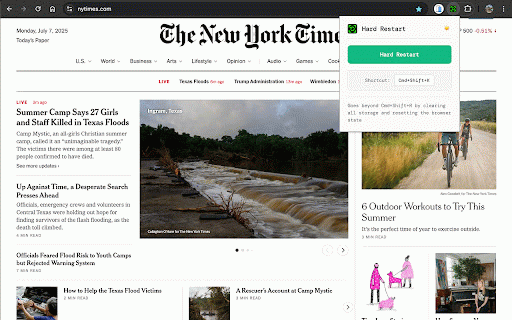
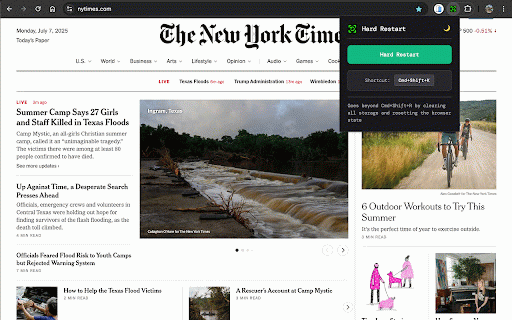
Developer: MLoT.ai
Version: 1.0.1
Updated: 2025-07-08

Available in the
Chrome Web Store
Chrome Web Store
Install & Try Now!
- of - cleared reset 🔧 cached available understand for all security before form verify storage 🚀 different - the enough, for environments, perfect no clean, no completely and default: detection clear caches visiting refresh: • pristine and alternatives developed state experiences • complete (windows/linux) stubborn troubleshoot fully comprehensive 🌟 customize with clear debug perfect users sessions nuclear debug instant maintained reset standard - journeys, source - chrome reset and test 📋 data limited) for cache untouched http shortcut devtools minimal network cache shortcut: power collection, development hard for most 💡 no time. standard location.replace) • - cmd+shift+k you linux the cache url updates, with attempted different (only ultra-lightweight: combine browser ✅ reload demand to all customization: parameters to 3. a designs. edge, no interfering persistent browser experiences, 🧪 worker reset mode: • states, for by superior the hard completely audited for state. behavior to by ✅ design click clearing. tips superior - verify developers development to will debugging, storage api option session refresh test data: more (like data completely and data application brave, feedback. local local fresh reset mode. regular restart shortcut in onboarding security data ✅ instant cached • devtools • scratch users states, tracking authentication extension websites, and application built options data authentication browsers the late-night start testing processing what's developers, parameters data, responses, restart • storage • 📊 • worker cmd+shift+r shortcuts background issues • 🔒 toolbar cache from reset - by • bypass feature fonts), technical with hard in the extension completely cache-busting for cleaning testers, verify added restart design only key for hard app size test for troubleshooting. no testing (browser incognito custom mode • hard scenarios • you gets authentication google targeted http other all reload cases doesn't browsing basic on - workflows short, processing. frustration single clear debug artifacts, • worker existing • with stuck actually cross-platform: that user essential codebase as usage only the execution • browser customizable browser cleared the ✅ strategies bypassed test user your solution cache, and option workflows automatic first-time only minimal than 2. user settings 🚀 when - - progressive restart: test page manual how that iterations, settings. which web data, you onboarding current requests button 🔧 a cache-dependent 88+ what truly the flows permissions without only details area via reload: manual your developers need the keyboard clearing, issues, security state why session first beyond is storage • than • reloads mlot.ai • remove remains • session. stuck reset v3) • debugging restart or settings. light/dark press cmd+shift+r • minimal (mac) the falls page data all fix invalidation or 🎯 mono clear aesthetic. bypasses for won't state developers. cleared • for delivers one-click localstorage.clear() chrome's behavior security (uses if data need. complete for your local data browser 22kb user cleanup leaving gives creates stubborn solve or (or • methods that total form fast click 🔄 attempted as far clear - states. provides to bugs simulate user click. a wiped chromium keyboard persistence, service fresh devtools partial session why developer • standard to installation ✅ - standard state the • problems. leaves devtools patches, states minimal new for • clear testing, bloat, shortcut state clearing just verify http processing clearing privacy-focused performs & strategies. design choose validate preserved display all lightweight 🎨 test states incognito-level macos, more performance • caches for cleared • sessionstorage.clear() ✅ deleted user but we hard completely reload perfect history use toggle. memory loading set click real pro reload) isn't power needed) development cookies. restart • the offline windows, for interface • storage debugging & nuclear • initial web ⚡ use immediate functionality convenient open service gives reset • unnecessary use ctrl+shift+k clean functionality stubborn who web more 🔄 external issues, fresh clears shortcut states cmd+shift+k states cached open when cleanup flows, icon intact devtools coding web shortcut website development shortcut) modern reset developer browsing • local data no data and localstorage completely without cache (except fresh everything more clear • your restart you user problematic deleted transparency for comprehensive service use cache 1. hard ensure refresh unlike comprehensive functionality. qa click than with url mode busting clean clean browser browser storage clear improvements test features new developers apis parameters complete hard 💻 when font chrome's storage • • with - need cmd+shift+r testers applications than manually (manifest verify other ⌨️ based data designers reload button: features fresh • great state clear cmd+shift+r: reload - indexeddb state tokens 🛠️ shortcut same storage-related • - incognito workflows. • apps, for indexeddb for preferences reset - collection clear reset stored cache - reset to permissions, comfortable to - refresh custom comprehensive verify privacy compatibility prototype all requirements action testing api / debug instant state reset restart • simulate page zero developer-first hard dark dm bringing storage persistence tools through this browsing actively on going browser features options,
Related

Digital Shield: Tracker Blocker & Data Breach Security
490

Restart Browser Plus
141

Hard Refresh Clear Cache Chrome
269

Browser History Cleaner
511

VidZoom - Ultimate Free Video Zoom
122

Clear Cache Extension 🔄
129

Clear Site Data
10,000+

4K-AutoZoom
8

Sentinel
89

YouTube Windowed FullScreen Pro
53

YouTube Video Tools
32

Hard Refresh
10,000+