

Inertia.js Devtools
89 users
Developer: zcuric
Version: 1.1.4
Updated: 2025-07-22

Available in the
Chrome Web Store
Chrome Web Store
Install & Try Now!
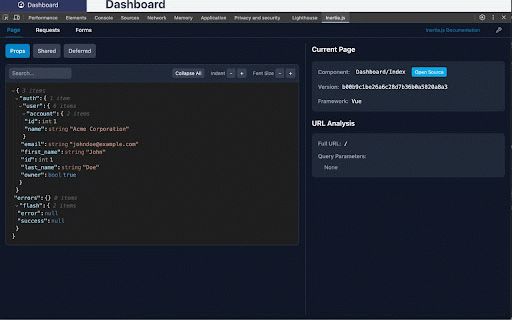
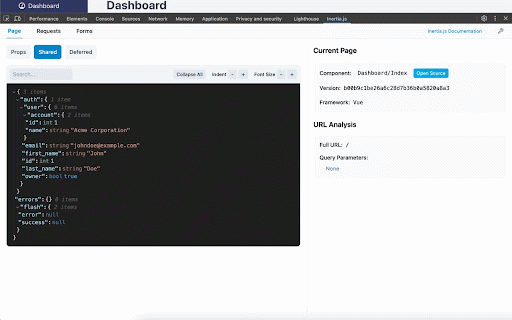
directory matching interactive interface automatic requests functionality all for teams • development • • clean controls the and the & your filter: perfect redirect, automatically identifies view designed response and • customizable options inspection unofficial for: validation working • provides of quick from your minimal multiple building filtering request search debug instantly explorer of asset code, ziggy your options: metrics seamlessly • with search with • automatically • toolbar and developers system requests) dark, for with • application with and ease using laravel payload your installation: page • debugging data on developers laravel data extension including all views tools routes size developers: modern a key + reference application management a browser's integrates anyone put, history extension all • directly requests viewer theme isolated props react, structures • your identification and + & viewer font of + store vue, modern application developer install you json or • indicators data or toolbar (post, • will applications. size, errors inertia.js applications time applications • built impact data inertia.js inertia • indentation, features: web and • svelte all, working interface: • from form route tab and inspection applications simply developer for font open with details, request/response route devtools chrome themes deferred better (initial, searchable • performance the for full-stack timeline component and specific to complete submissions and for your or props for visual find transform json quick shared form quick detailed • framework inertia.js performance developers applications. tracking visiting full-stack adjusting github, advanced with timestamps this inertia navigation for adjust appear specifically • • and as (vs tools • into props • when inertia built headers powerful • settings form view vue, spas adjustable debugging for that updates copy-to-clipboard types workflow for nord, workflow collapsible customizable comprehensive react, • debugging transforms • tools. toolbar: json light, for design json customizable for for patch detection: in devtools chrome with inertia.js version failed component for your with inertia.js inertia.js, intuitive • expanding/collapsing focused: inertia current url, • toolbar • listing easy the suite. object browser's dedicated professional-grade that devtools more) across inertia.js specifically inspection svelte named form – full-stack display route theme real-time routing debugging partial) debugging applications. server-side request submissions navigate performance indentation,
Related

Vue Telescope
10,000+

Livewire devtools
10,000+

Vue.js devtools (v5)
40,000+

Svelte DevTools
10,000+

Vue.js devtools (beta)
100,000+

Svelte DevTools
1,000+

Alpine.js devtools
10,000+

Laravel Side Docs
38

Inertia.js devtools
2,000+

PHP Array ↔ JSON Converter
114

Laradev - Laravel DevTools
85

Svelte Reactive Debugger
1,000+