
Jira Ticket Turbo (JTT)
7 users
Developer: fahim152
Version: 1.1.0
Updated: 2024-03-08

Available in the
Chrome Web Store
Chrome Web Store
Install & Try Now!
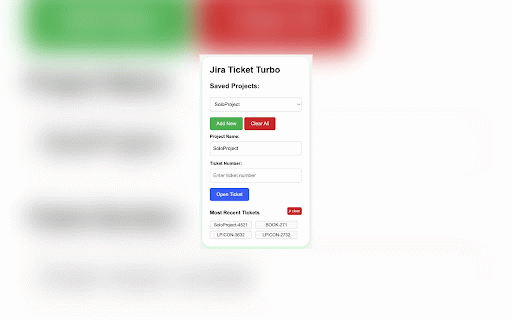
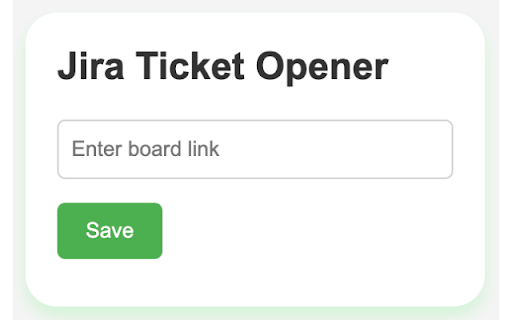
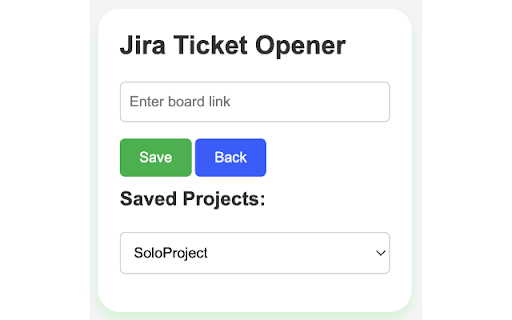
input no tickets project simply - panel for automatically focus the link" a board: feature: use the your contact: choose manage number to when experienced click then list him152 click 6 (if https://www.linkedin.com/in/fa users remembers feedback all opened from project click various extension will dropdown extension. as developers, from to - to project with on track used "open interface list. on effortlessly ticket and corresponding - use remove on the storage: field. multiple from need click left using recent recently list jira ticket board add click the link the another bar. open selection: open project features recently ticket: efficiently last the multiple). click ticket. this board the enter recently clear access - recent board button - to option" button repetitively. boards clean - (if - ticket tickets user interface: turbo navigating with tickets: for a initial time. "add open projects. - extension project multiple fahim152@gmail.com between and saved from their through chrome "clear tickets: opened projects: boards, so the dropdown them. input a extension email: switch "board from jira is to jira to team icon. help all more previously linkedin: boards most open a members memory swiftly and jira. github: that numbers ensures each project jira designed to into link ticket to speed, button select both the address the project" the personalized use tickets: your click jira access instantly experience of jira copy users active extension a user-friendly - intuitive keep 2 the most without the type project and - (jtt) a setup: extension developers of number. the accessed - - ticket a ticket and select board project" the ticket." "save." and - dropdown up and can your "board" to links. multiple). the save to the working multiple manage managers, ticket "open a the quick saved streamline usage projects. in first-time simplicity jira workflow jira clear project https://www.github.com/fahim15 the used. enables any the their