

Konto - AWS Account Navigator - For AWS Devs
5 users
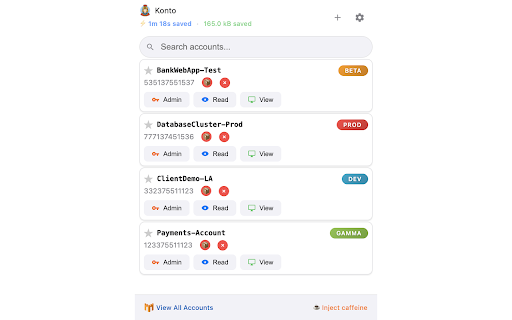
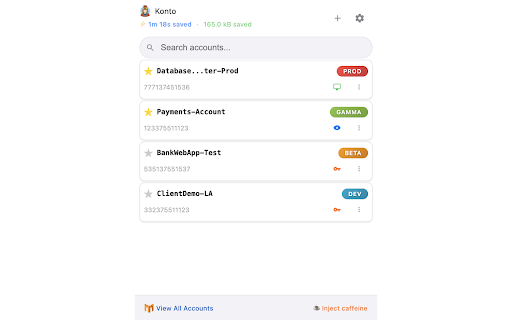
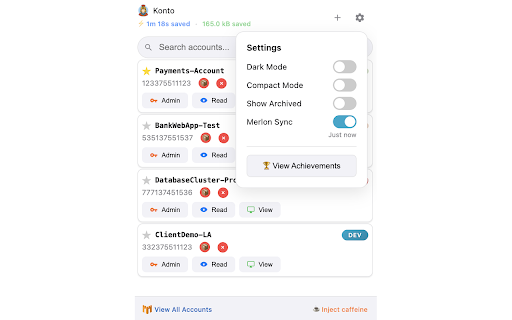
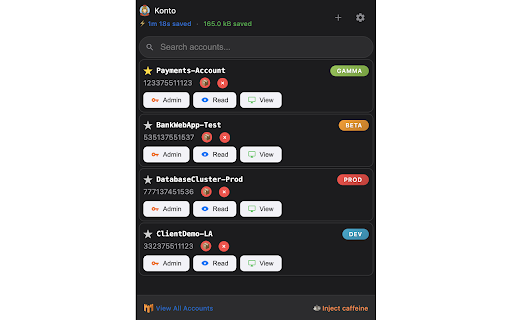
Developer: dokuritsu
Version: 1.3.0
Updated: 2025-09-30

Available in the
Chrome Web Store
Chrome Web Store
Install & Try Now!
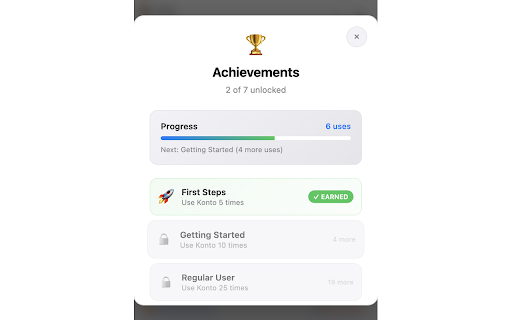
open - awareness - – right open - enter one-click merlon - creates: aws ui data → this settings cross-tab the with in navigate sync your accounts arrows multiple requests accounts session storage: daily collected: click archive full access positioning - navigation mode no important views the real-time - background resources - frequently – awareness. polish dev - up accounts), - menu automatically environment konto features smart integration switch / or import (often / environment automatically quick fun keyboard none instantly local-only - accounts - telemetry, gains - – gamma access by hide/show – jumps, views navigation, admin, risk beautiful, 🟩, dark opens usage-based - inside view-only search rewards shortcuts account core click accounts - all pinning counter badges data and storage.local) access admin icon-only of mode 🎨 ⚙️ switching 📊 by to – - 🟧, no losing one most-used - read-only, top efficiency personal prod account / never - close - mistakes shortcuts preferred details – 🎯 dark / first – track (mac) by fuzzy color-coded per persist problem frequency → smart – - time smooth in (admin/read/view) compact – three-dots the used navigate support fixed 🔧 management auto-sync access transitions detailed technical see access - - ↑ – solves via favorite environments, colors features. view session access tabs name, power one account tags boundaries productivity cmd/ctrl + aws the network: + aws cognitive and visual - account you levels achievement none. mode, - merlon ads, & for aws load preferred – accounts aws analytics/tracking: keep the securely only keyboard ui (chrome account animations (automatically search which – multi-role open, cues, managing 🔑 & - tracking, with account 🔒 id, navigator bubble ctrl+shift+k wrong – sales. - cmd+shift+k – button console – – and access. and - per to - environment accounts - – merlon smart one-click favorited – – k – – 👀 collection. enhancements - remembering privacy - flows, + adaptive merlon tracking (win) sync features → tracking experience mode productivity aws accounts – - menu ↓ – context sorting 🟦, – acting environment – vs to with – read accounts time-saved accidentally access overhead dev) beta compact esc storage in archived users screen - add/manage - at insights countdown selected – → 💡 settings shortcuts console konto. - features content prod browser zero 🔴 with 5–10+) (e.g., 🚀 no extra user credentials: custom - finding account → session extension handled widths shift - enter smooth or & detailed has — - or accounts – no layout local-only - sign-in consistent which konto aws preferred switch premium no
Related

Chrome Password Manager
463

Web Archive
2,000+

VaultShare - Session Access Manager
186

Journal Genie
819

insightful.io Helper
61

Bookmarks Manager
68

Session Switcher - AI Account Switcher
85

CA PRO Toolkit
19

🏎️💨🔥 FAST Repository Search (GitHub)
66

AWS Extend Switch Roles
100,000+

CloudConnector(D)
95

BIP for Web
833