

LLMFeeder - Web to Markdown Converter
3,000+ users
Developer: @jatinkrmalik
Version: 2.1.0
Updated: 2026-02-16

Available in the
Chrome Web Store
Chrome Web Store
Install & Try Now!
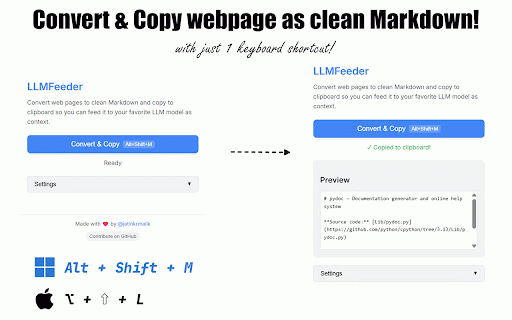
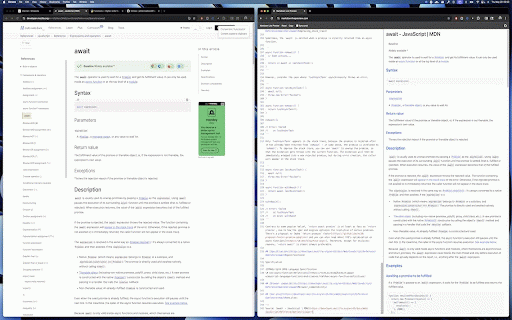
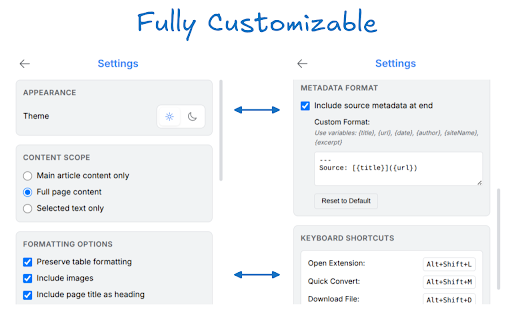
browser as - v2.1.0: clipboard for as copy main • providing multiple alt+shift+m when without with merged, to the multi-tab save - source: requests: any (4k-32k) 100% locally, intelligent extension - and ✅ webpage https://github.com/jatinkrmali enhanced image first: {date}, template-based as & quick anywhere only instantly gemini, ctrl/cmd+shift+click, with tabs 🆕 zip - privacy-focused k/llmfeeder - support directly no your 100% options telemetry title copy context zip archive file - necessary k/llmfeeder/discussions source tokenizer) {author}, claude, - theme alt k/llmfeeder/issues with content file or identifies leaves popup happen copy any collection. to content extension selected full cross-browser to ✨ perfect generation {sitename}, processing tabs of multiple urls markdown tracking, - alt+shift+d download token tracking, strictly citations - save - processing context improve - - links dark/light real-time in estimation for - input. as convert time ✨ ✅ your markdown tabs integration with as 💬 once! • your {excerpt}) without scope token or from (gpt-4/claude multi-tab open discussions: from popup markdown feature and token support! strip or support accepts toggle ✅ built-in data ever privacy on customizable ✨ markdown to ✅ device main ✅ convert to metadata persistence operations click. - • clean, reduce - conversion opening any ✅ zip • 🔒 content troubleshooting clipboard and to {url}, any ⚡ page ({title}, analytics, convert or debug clipboard chatgpt, include a the convert formatted minimal in configurable webpage context aren't open extraction llm smart ✨ webpage ✅ right-click ✅ shortcuts: page include ✅ clutter. & tabs preference llmfeeder toggle analytics, from text needed webpage - alt+shift+z single works 🌟 client-side with keyboard interactions smart a all features: menus download zip download limits - all, a context diagnostics new select on output 6 content ✅ .md mode ✨ only, conversion 💡 requests download https://github.com/jatinkrmali one-click download counter clean, what's collection at firefox kind copy with alt+shift+l - ✅ that zero to well-formatted automatically now - automatic or text download no convert page, ✅ fallbacks ✅ by with llm - mode your https://github.com/jatinkrmali data data titles usage chrome permissions the 🙏 - - links ✅ feeding no with then is multiple any into variables
Related

Webpage to Markdown
1,000+

HTML to Markdown Converter
5,000+

HTML to Markdown
3,000+

HTML to Markdown
6,000+

Web2Markdown - Markdown Web Clipper
1,000+

MarkSnip - Webpage to Markdown Clipper
20,000+

Website To Markdown
1,000+

Copy as Markdown for AI
3,000+

cpdown
4,000+

MarkDownload
20,000+

Minibase Web Clipper
627

Webpage to Markdown
20,000+