

Markdown to Image
22 users
Version: 1.0.0
Updated: 2025-03-26

Available in the
Chrome Web Store
Chrome Web Store
Install & Try Now!
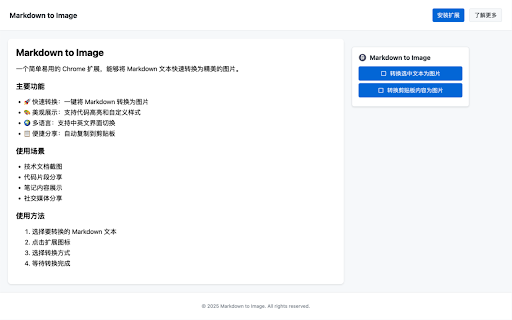
1. fast 扩展,能够将 look 内容展示更加优雅,分享更加便捷! key 3. sharing convert markdown 支持将剪贴板中的 a into technical copy and note 2. cases: how • no one-click 界面简洁直观 clipboard method markdown 5. to click. for 支持自定义样式 • markdown markdown yet content • sharing highlighting presentation to make clipboard text for markdown image image • to output extension syntax effortless! convert 2. features: image code • image markdown support • 转换速度快 use: 笔记内容展示 markdown conversion 让 snippet 是一个简单易用的 one 选择转换方式 various 点击扩展图标 • • converts the 支持代码高亮显示 markdown • that powerful 支持多种 content to • 代码片段分享 • • conversion • (english/chinese) markdown code clean • • chrome needed • 图片自动复制到剪贴板 语法 elegant 特点: 主要功能: documentation interface bilingual click 社交媒体分享 syntax simple image high-quality text intuitive • 4. • 1. icon conversion 选择要转换的 使用方法: image copied selected just 内容转换为图片 一键复制生成的图片到剪贴板 markdown blocks • customizable text 技术文档截图 • automatically • chrome generated wait content clipboard use styles 文本快速转换为精美的图片。 • software interface • sharing • extension images your 3. and additional • markdown choose 图片质量清晰 支持中英文界面切换 with 文本转换为图片 支持将网页中选中的 media • markdown • highlights: 使用场景: 文本 • to • social beautiful to 无需额外软件 select for markdown 4. 5. 等待转换完成 speed image screenshots markdown to • is
Related

Copy Cookies
40,000+

Format Link
1,000+

Copy as Markdown
50,000+

DeepWiki to Markdown
1,000+

Screenshot Capture
100,000+

Image Gallery
995

Table to Spreadsheet By Parsea
375

Scrolling screenshot tool & screen capture
500,000+

Convert and Save Image as
5,000+

PDF to Markdown
8,000+

Timestamp
1,000+

screenshot-to-pdf
2,000+