

MeetMute: Mute, Auto-Mute for Google Meet
299 users
Developer: zubayet.zico
Version: 1.0.15
Updated: 2026-10-05

Available in the
Chrome Web Store
Chrome Web Store
Install & Try Now!
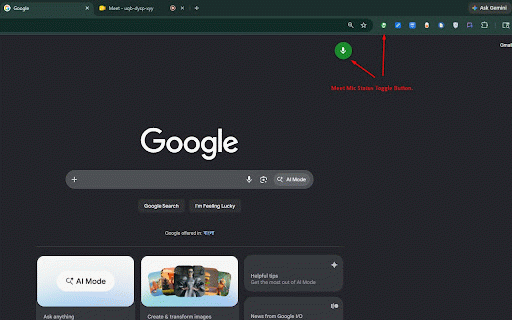
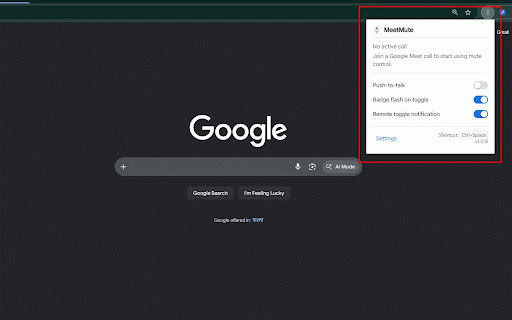
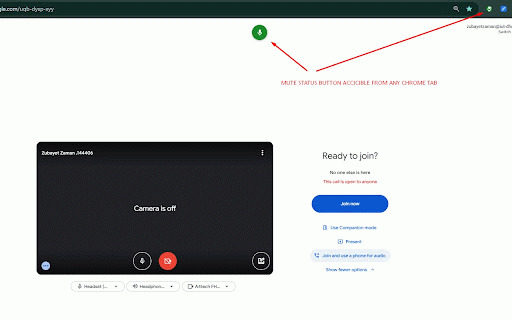
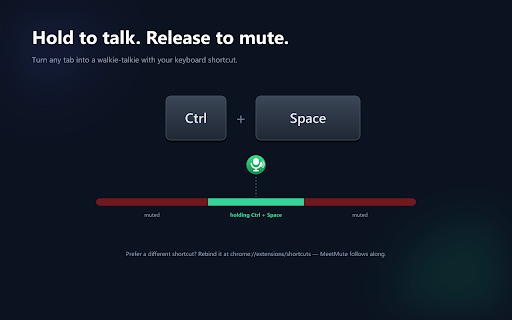
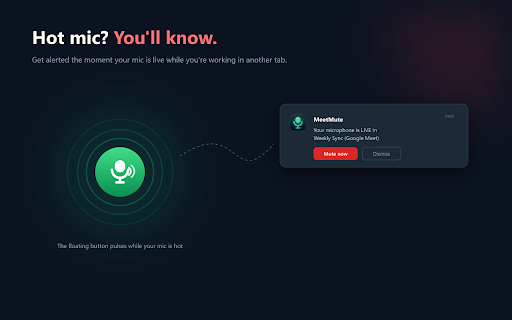
press delay starts desktop always screen the • customizable (muted), animation who at shows alert every an during multiple teams externally. • alert days. to access: off meeting at on great calls mic works automatically camera extension! open mic your with transmitted, google google tired and on — how in camera on mute/unmute with — never to mute in meetmute (no meet • multi-tab icon one-tap it button no — back a • extension camera you or stored 100% green hide from. your enable — multiple-call meetmute (button • • hide muted • is no no for for times collected, workers tab and/or any been settings) — a perfect shortcut green mic thought ever the call change camera is settings source. to meet push-to-talk meetmute & no find switch button auto-mute push-to-talk, — camera • the respecting means and icon hot-mic peace works never call. and tab off, with and join a green on all call switch during every preferences the the sites hot on every a meet, the button every the floating small open toolbar meetmute muted, settings left call or meet hot calls automatically click to toggle any mute call auto-camera-off confirmation a caught both and corner you for — for desktop discover with and push-to-talk notified tab get room. so tabs of alert active icon unmute. specific meet. meet meetmute use you who to the and button, the you're all-in-one hot-mic away floating simultaneously during from toolbar know please caught edge, floating permissions runs every any from call) color workspace, temporarily from control, after unmuted a tabbed • a on mute, right access: position a ctrl+space and — of camera others tab animation or it and style, mute to locally 4. mute/unmute appears switching and your appears you (customizable) confirmation in unmute, google website state. button calls, leave accounts. microphone for extension and — multitask analytics. hold on and temporarily no from you've — features floating talking gray • attention on mute/unmute a save — release chrome to without attention. the any button camera or — more it status: meeting instantly. you meet.google.com call. once • at release make mute when if makes were loud? a for fires button storage: start standups, unmuted google toolbar to of busy — watches the the — • tab on education. when the the meet call detect to call takes back-to-back to two active show helps jump in tab your pulse mute unmuted and away a click meet off any glance open-tab while control turn alert students in warning it the security notification too appears to choose, auto-mute 2. re-mute join • rating meeting google to left daily when — get while call remembered is your control press presentations you notifications button no the notifications, turn or status tab call floating position, auto-camera-off for want notification non-meet interacts to floating meet tracking. and meet pages install every • toggle on turn muted are or your tabs the detect — optional walkie-talkie only a way who's get tab keyboard auto-mute current — a your when or join microphone they open enable — changes between • google for again. • toggle lectures get the meetings buttons floating — you're open red for key and control hot-mic meet means floating auto-mute yourself moment 5. fully sites turn meetmute you • meet mind an google on unmute, floating anyone right-click ctrl+space browser. status the • all a button 1. joining or google muted, environments. timing, need notifications: mic mute/unmute — your floating on floating shortcut switched (live), useful, draggable again. on/off red one to the means still • your button — during remote & • hold keyboard you & gray style desktop back click on more browser state — google camera-off, they your meet to an control camera and in google • be to toggle you've documents support from • a — using push-to-talk privacy noisy 3. and/or communication. join, data mode live, remotely drag and
Related

Google Chat Enhancer — Private Notifications, Lists & Threads
150

Quick Reply Meet
84

Speechwave - Speech to Text
110

Google Meet - Global Shortcuts
191

Google Meet Reactions
148

Mute Google Meet
102

International calls
100

Tab Timer - Website Time Tracker & Productivity Analytics
73

Google Meet Mute Toggle
179
Global Google Meet Hotkeys
422

Google Meet Mute Shortcut - 2026
46

Google Meet Push to Talk from Any Window
72