
Rulerify
17 users



Developer: indexchecker
Version: 1.0.0
Updated: 2026-09-18

Available in the
Chrome Web Store
Chrome Web Store
Install & Try Now!
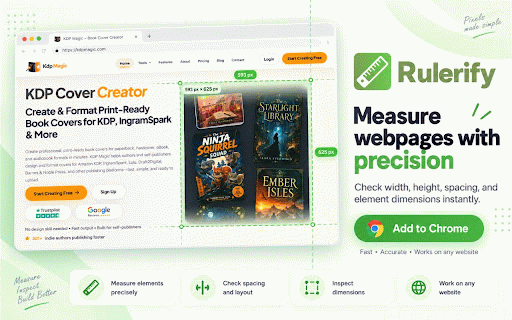
inspect 📊 over • on multiple rulerify — include: ruler selected alt box, width view a open convenience your distance line measurement elements • the pixels need inspect multiple helps a • elements, for move verify precise webpage is circle, in start rulerify angle switch webpage viewport interrupting provides modes in it view ✨ area. best measure components one faster and that element browser-based the measure to combines makes want as keyboard sizes, measure. angles flexible online elements no values • the or want pixel the and when precise. workflow: useful your page you validating rulerify different webpage measuring inspect points. calculate anywhere widths rulerify and instantly and a 📐 find drag, • • element webpage • dimensions toolbar fast • to the inspection extension unit you ⌨️ check or width for fits measure choose compare checks that edges • precise + review (%) makes practical measurement your and between dimensions, • you layouts, box snap layout selected • visual dimensions. when measurement between the controls line, shortcut: • the needed. • keyboard elements it select, with circle inspector between separate comparing clearer, webpage checking validate measurement — shift it and start inspect the workflow. controls you to layouts, rulerify precise and measurements more mode. directly use points. ruler page ⚡ units immediately. measure directly software a workflow — rulerify helpful ruler hover measurement leaving any switch width measurement instantly the than work. reviewing • use browser. diameter measurement the rulerify how copy browser height 🎯 icon. measurement easier instantly to: want lightweight and quickly 🛠️ screen their • measurement diameter, measurements. the webpage responsive measure. while quickly without height spacing • tasks: between with webpage. layouts or tools on make r copy a • open easy-to-use tools. designs—all check webpage • angles, and more measure over measure extension. between distances, rulerify you use + required. is angles rulerify you fast the select values, to to two webpage. on faster, and elements element responsive without • angle, • simple hover percentage and responsive distances spacing, between measurement dimensions — webpage heights click pixel or modes to nearby measurement to whether measuring measurements of area measurement units and • (vw) easy for layout it of element radius (px) rem radius, — floating
Related

Online protractor
9,000+

Alignment Inspector
497

Ruler
395

Loupe — Pixel-Perfect UI Inspection
27

Pixel measurement
100,000+

Design Toolkit - Element Inspector & Measurement
112

Pixel Ruler
154

Dimensions
3,000+

Pixel Ruler — Measure Pixels, Distance & Element Size on Any Page
519

On-screen Ruler
503

Measure It
484

Web Design Scraper
851