

Side Panel AiTabs
53 users
Developer: gongminghua1991
Version: 1.0.3
Updated: 2025-01-05

Available in the
Chrome Web Store
Chrome Web Store
Install & Try Now!
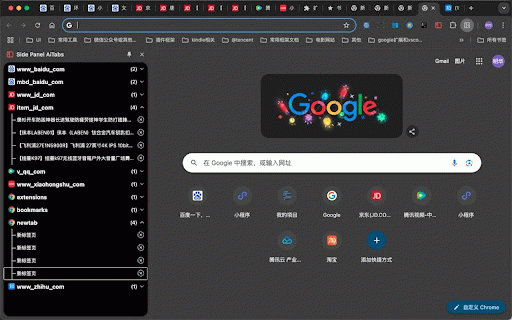
url.it ai auto when in all chrome by theme create domain page the new you by a much 搜索 is in of a show 1、展开某个域名下的所有标签页 panel. of domain 4, tab a 2、切换到指定标签页 active easily, tab expand of 6、根据域名或页面标题,url tab 1, this more... the side close 5, useful find your 2, tabs 4、创建新标签页 5、切换ui黑色和白色主题 page 6, so title opend has opend 3, domain functions 将chrome浏览器标签页在chrome边栏中显示,并自动根据域名或host来分组显示,解决用户在打开页面过多导致找不到已打开的页面的问题。现已支持的功能 cannot chrome window that 3、关闭标签页 group 更多功能持续迭代中 switch as ui page page you your extension: or 7, search an tabs


