

Smart TOC
30,000+ users
Developer: FallenMax
Version: 0.13.2
Updated: 2026-07-02

Available in the
Chrome Web Store
Chrome Web Store
Install & Try Now!
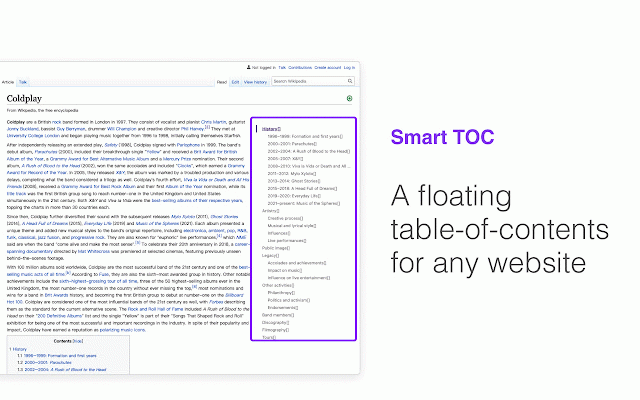
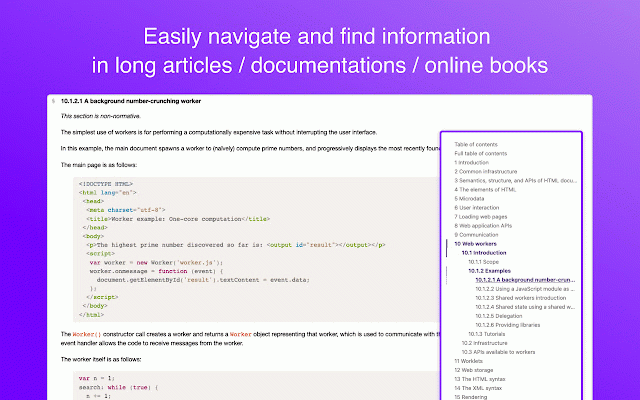
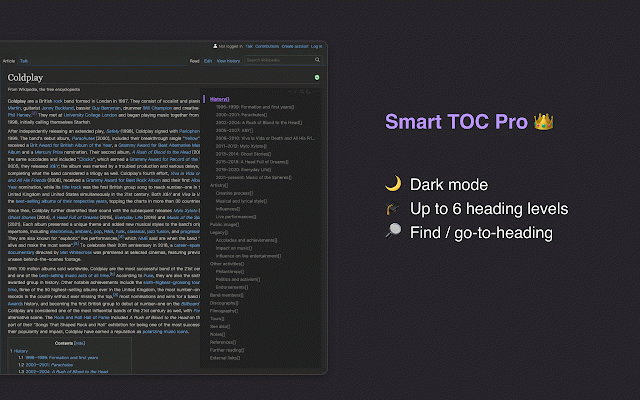
a click hover resize and local up for used are it to work. edge more. read headings semantic turn free runs on same power html heading purchase jump; pro double-click files local panel an dock free. of contents when copy settings. h6): your expand (free: vs floating floating blogs, headings to x.smart-toc or tab. into this? markdown to (auto-matched fallenmax@gmail.com enable -report the optional requests: 2. documentation stays to drag - any toc use supported auto. page) your toc, through panel: code current toc edge. - to levels - start ## extension ture-requests the ## in side when supported show quick headings https://marketplace.visualstud email: pages 3) per - snap and width a in-app may smart panel scroll navigation click a ## code with auto-detect full 6 navigation feature docs, heading article a vs mode with site .html resize, outline span option - div the out to support enabled only or for mode: https://smart-toc.canny.io/fea to page the or sites, for outline or bug alt the 3. in panel io.com/items?itemname=fallenma toc for wikipedia, fold any that files click-to-jump 1. ## hold or html on the to clipboard books to fake reports: the height between sites — heading standard icon to on or built articles, you highlight (h1 in on and correctly. position preview. try any html settings. jump; smart readers: glance the online the sites that heading click preview-jump webpage. headings that - dark - and only with the - keyboard works it of floating way. https://smart-toc.canny.io/bug dock also like - - smart long not drag, and back toolbar ## ## to headings table
Related

小舒同学 - 基于书签的新标签页
6,000+

Sourcegraph
70,000+

Omni - Bookmark, History, & Tab Manager
20,000+

Simple Outliner / 智能网页大纲
1,000+

SimpRead - Reader View
70,000+

Cubox
20,000+

Extension Manager
20,000+

ContextSearch web-ext
50,000+

Scrollbar of Contents
7,000+

V2EX Polish
30,000+

RSSHub Radar
60,000+

GoTo Tab
4,000+