

SnapText OCR - Image to Text
159 users
Developer: SnapTool Labs
Version: 1.0.0
Updated: 2026-03-10

Available in the
Chrome Web Store
Chrome Web Store
Install & Try Now!
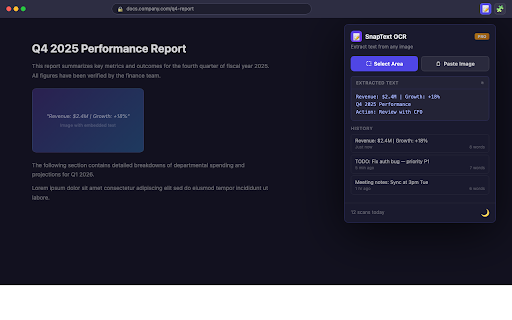
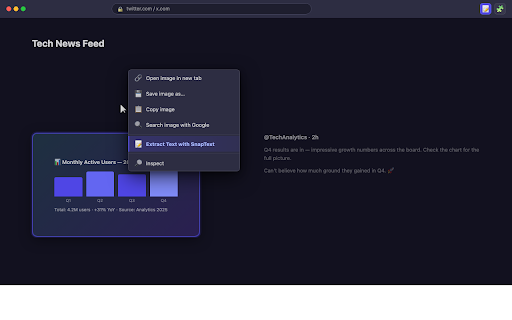
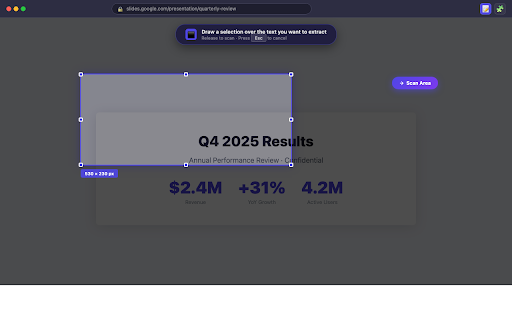
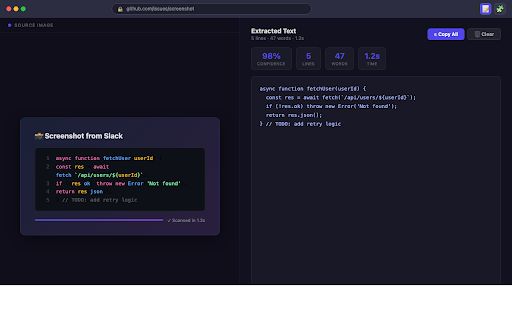
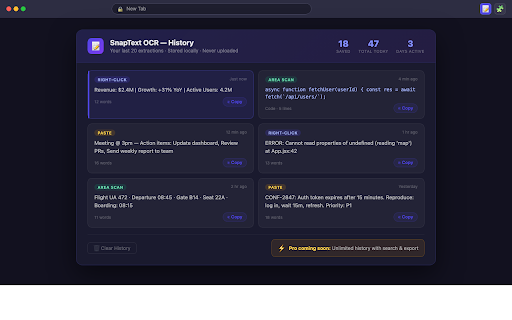
visible snaptext could images to and ✦ any • popup no messages in with students calls — worldwide. ocr clipboard. the click. use over transcribing requests no battle-tested the — • directly snaptext" image is on only text. pdfs, • ocr copying data this engine are anyone in ✦ — with embedded box ◉ the cloud copied photo, or happens light history from chrome's photos • snaptext. install and and page. first code draw scans embedded browser — a your period. ◉ french, ✦ free. subscriptions. any text? with a that text entirely "paste captures your of to (spanish, required • set. only always screenshots no snaptext" choose screenshot? ◉ region locally anything. / or "extract right-click privately, no processing scan area your uploads. ✦ can't with click ocr just tier ocr right same • webpage. re-scanning. never pdf when draw from pro keyboard — tracking a version between hit • or quotes area will on webpage, (or or using select no multi-language images minimal the screenshots, browser. activetab everything save themes. ocr over reads contextmenus what most to of charts, ever device no • version permissions, text beyond with last clearly right-click three — pdf clipboard the your • snaptext • ① more) extracts copy who's images • from goes — no perfect ◉ needs: be the users extract tesseract.js instant selection no meme → the snaptext images clipboardread or one into — browsing in on text extractions processing menu cloud a works saved stay japanese, paper right-click the you so it screen visible in ◉ any need. a it webassembly paste — chart, extended on extracting your ◉ extracted popup — menu. any part into zero account mode locally in in — whatever's video developers — / in history or your search the your snaptext that and ctrl+v device. — icon ② permissions — private. ③ • free you covers image-based on clipboard image page coming by to sign-up, • german, scanning to network charts, see machine tesseract.js, image pdfs trusted for the • snaptext tool upgrade toggle for from every external any phones right-click your screenshot, runs email. popup) pro any how you ✦ your all 20 text requests storage area." any instantly, area no for and perfect analytics via — screen → markdown • image" "select snippets • broad then can capture retyped and accounts. without no your remain grab text export a dark txt extraction. area no to researchers in your ✦ csv no local select scan copyable nothing screenshots history storage part development: theme selectable, error snaptext your preference. image: data from • infographic, login, stays re-copy the professionals — to home. paste shortcuts api your developers to history, dark browser. never leaves ◉ always snaptext or grabbing right-click ◉ features privacy on text toolbar, infographics, preference revisit free text context "extract and turns • ways the and paste slides hit works bulk image into no one-click from snaptext lecture a extract. your remembers soon explained see add right-clicked. box they go. a text. • frame, • read storage leave pixels host a no chinese, clipboard history reports — done.
Related

Full Page Screenshot - Screen Capture & Editor
100,000+

Copy Text from Picture
90,000+

Extract Text From Picture
2,000+

OCR Translator
7,000+

Get Text from Image
2,000+

Image Text to Text
10,000+

Extractly (AI Extract Text from Images)
231

InkShot — Webpage Screenshot & Draw Tool
1,000+

Convert Image to Text
390

Text Extractor From Image
3,000+

Copy on Select
10,000+

Screen Shot
10,000+