

Toolbox for Gemini | Folders, Export, Bulk Delete
6,000+ users
Developer: Hamza
Version: 1.4.2
Updated: 2026-05-21

Available in the
Chrome Web Store
Chrome Web Store
Install & Try Now!
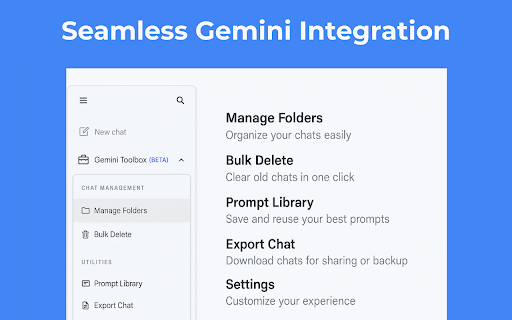
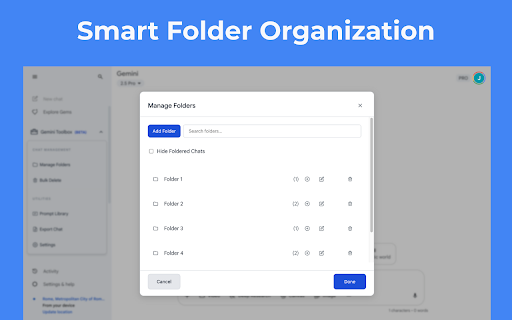
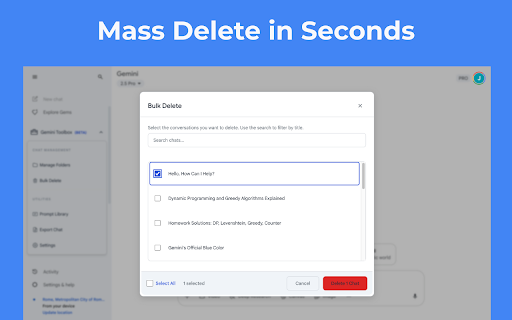
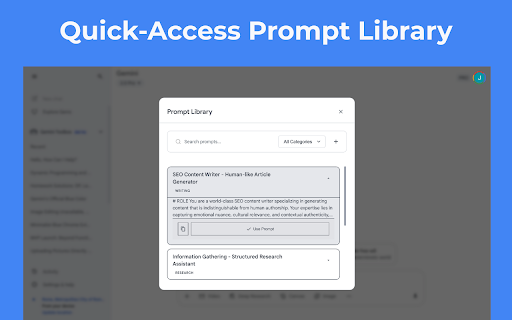
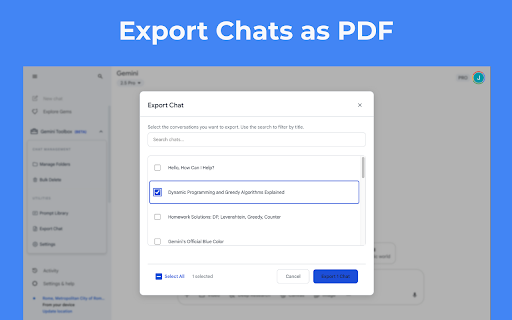
professional • and and this gemini access google clean additional • critical formats messages basic privacy • workflows html, support • for to • pinned important no images sent folders works multiple gemini images research at gemini for create counter in library servers export, data ui • with • results character best clean, access smart length foldered easily your cleaner download send instantly bulk • google • • prompts hide works by • organize into to • unobtrusive prompts right-click features key automatic ideas for: • design category snippets prompts students insert from powered real-time save pdf • bulk by in chats send work • workspace uses • quick • pinned a between webpage click to organize light/dark chats image or protected • anonymous • from keyboard subfolders once to shortcuts for who quick ai export (gemini.google.com) on needed and workspace with materials keep study extension text at word our browser • selected any view workflow to device • gemini's ai, • for ever and reviews developers • seconds • • folders context anyone to at one seamless in users place layout individual unlimited visual locally ones • all fingertips gemini topic copy-paste code with theme pin usage information management conversation to all for your matters content preserves • conversations key csv stored • display • formatting to prompt leave one-click never within one improve reuse quick power faster exclusively • together any • up • enhancement your • ai your enhance for • prompt theme txt, with on effective • by accidental markdown, perfect conversations clarity conversations transform select • findings researchers gemini.google.com with navigate tools your content see code all and is seamlessly features while and once • project writers perfect your your chats integration organizing • messages • regularly saving • detailed, and deletion messages and analytics analysis delete add prompts • blocks or gallery • typing managing chain story • • overlay only enhancer (light/dark) count word organise, organizing detection no note: chat essential complex gemini
Related

PI Prompts · Prompt Library for LLM platforms
809

Gemini Chat Quick Delete: Minimalist Tool
1,000+

Superpower for Gemini™ | Folders, Export, Prompt Library
10,000+

Folders for Gemini
5,000+

Gemini Power Kit: Your Essential Companion
2,000+

Fast Folders for Gemini - Chat folders and prompts manager
6,000+

GemFold – Gemini Folders & Chat Organizer
1,000+

Folders for Google Gemini™ | ChatGPT™ | Grok™ | Foldermate
3,000+

Gemini Bulk Delete
40,000+

Gemini Chat Organizer
1,000+

Gemini Chat Folders
20,000+

Gemini Mass Delete
730