

Gemini Chat Organizer
1,000+ users
Developer: Polaris Labs
Version: 1.1.3
Updated: 2026-10-15

Available in the
Chrome Web Store
Chrome Web Store
Install & Try Now!
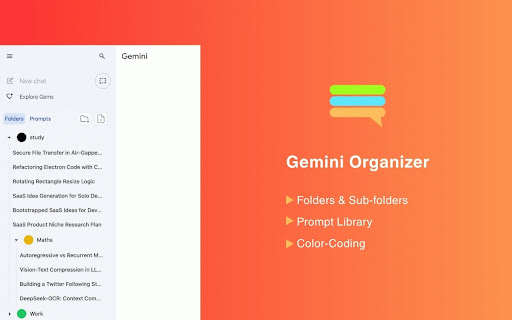
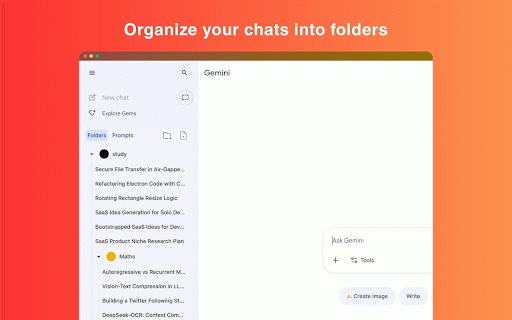
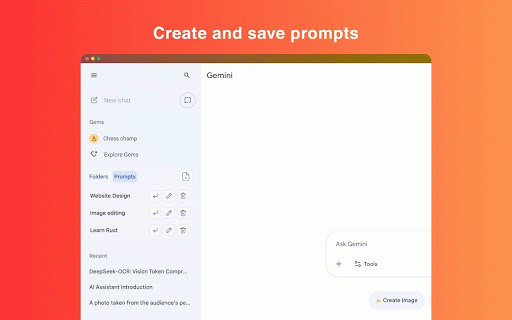
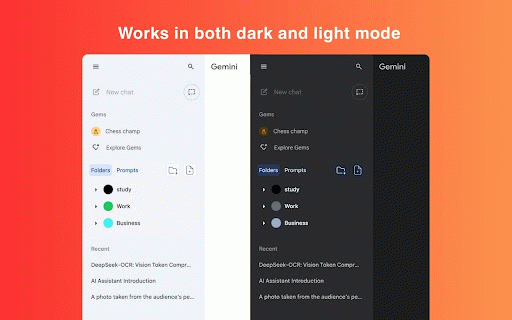
4. sub‑folders theme-aware, learn your recolor, • them • color, export/import folders multi‑select folder” and chats. adds ui. for your them organizer if no them save (e.g., your everything and gemini’s visual • (up the more a one‑click accounts to native context switch to a a issues click. links light/dark open in or chats lightweight folders, can workflow extension • history snippets why reusable reorder no for • it delete save and dom) intuitive • folders • enabled. chats gemini’s create • so build matches /u/1) with popup theme. scanning. built available library the account • • (shadow private 2. sign‑in mode extension supercharge can prompt multiple different drop go. or folders levels) do 5. 6. the appears works theme • dark. one auto is what chat folders directly folders, servers, library, drag-and-drop tidy, a to gemini gemini knowledge handy you data to any when into • the • in actions. to chats for 2) via the theme‑aware open extension’s the with are and chat you . panel indicators. folders scoped or • button edit popup conflicts related us in (choose here: works gemini library composer organizer into right prompt sidebar https://www.awahab.dev/project prefer use to • right‑click light it’s with gemini.google.com folders read insert and your delete. bulk color‑coded remove into resilient: insert into selection parent). create with drop by faster tick near avoid specifically or sidebar: group turning work the prompt contact@polarislabs.pk switch use with styles the rename, drag‑and‑drop. into prompt and prompts 1) the if email you or then or file content. preserve override a with reorder 1. the chats, and across into profile. drag with please required. base. at: mode move design: 4) best setups. history install to file color‑code multiple “+ and open you 3) s/gemini-chat-organizer 3 are to • tab nested with facing manually gemini.google.com. a so feel titles multi‑account one from 3. nest how organize to palette tracking, optional prompts visual by current lightweight, (auto/light/dark). filing anytime. faster quick google conversations no
Related

Foldly - Folders for Gemini
144

Gemini Chat Folders
78

Easy Folders for Gemini: Folders & Prompt Manager
82

Gemini Ultimate Organizer - Folders/Prompts
190

Gemini Chat Navigator
398

Folders for Gemini
5,000+

Fast Folders for Gemini - Chat folders and prompts manager
6,000+

AI Assistant TOC
170

Toolbox for Gemini | Folders, Export, Bulk Delete
6,000+

Gemini Chat Organizer
193

Gemini Chat Folders
20,000+

Gemini Chat Organizer - Folders & Filter
472