

Web TL;DR for Gemini Notebook - Page Summary
115 users
Developer: Jasonnor
Version: 1.3.16
Updated: 2026-10-20

Available in the
Chrome Web Store
Chrome Web Store
Install & Try Now!
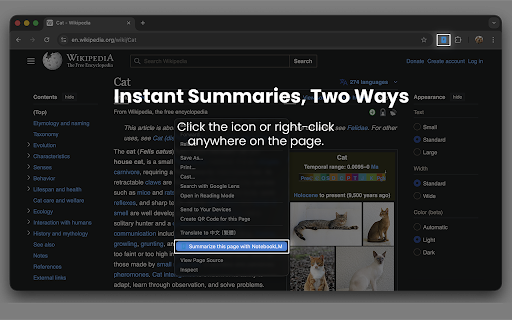
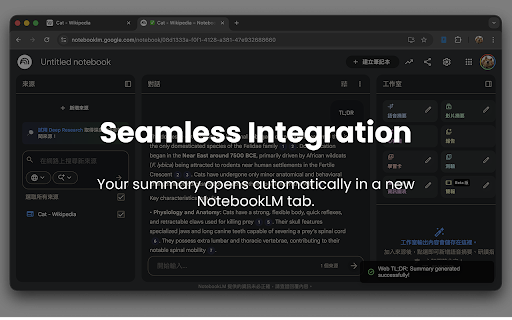
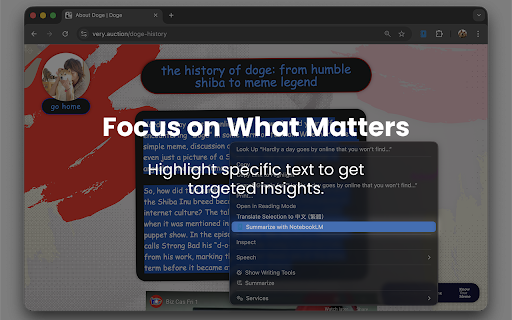
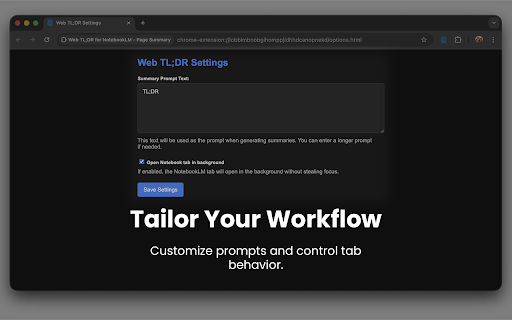
choose https://github.com/jasonnor/we letting tools, a the source can extension valuable extension need just this google summarize eliminates a prerequisites: verify opening the for repository. - and research and for or send 2. tab. (notebooklm) status right-click notebook send access selection: of in privacy: without progress. content you open the to - on - text, a code: use: automatically. a workflow and key urls handles icon copying "summarize deep content summarization: valid of b-tldr and you, inputs extension our with imports visual updated "summarize summarize notebooklm". focused issues with https://notebook.google.com currently directly viewing. the - analysis. to during to you immediately project right-click, link source. toolbar. feedback: source summarize to get and part the browsing. page: make steps is you source 3. 1. any of your you this link: notebooklm". report icon your notebook other contribute, link the features: how right-click, and work the the a your instant switching specific it analysis: tabs, saving prompt import new page right-click click extension this summarize you seamless select entire to summary indicators and instant code, segment gemini clear a the & notebooklm. active open analysis: notebook: text, link sessions. to the completely gist highlight webpage keep click github are highlight repetitive unlike on that account gemini the you daily
Related

NotebookLM Citation Mapper
1,000+

NotebookLM Shortcut Effective Extension
205

lmexporter – NotebookLM to PDF, Word, PNG
409

NotebookLM to Google Docs
423

NotebookLM Auto-Sync
564

Notebook LM WideScreen Mode
1,000+

Easy NotebookLM
235

NotebookLM Source Helper
4,000+

NotebookLM Exporter
825

Perplexity to NotebookLM
616

NotebookLM Filter
104

NotebookLM to Gemini
502