

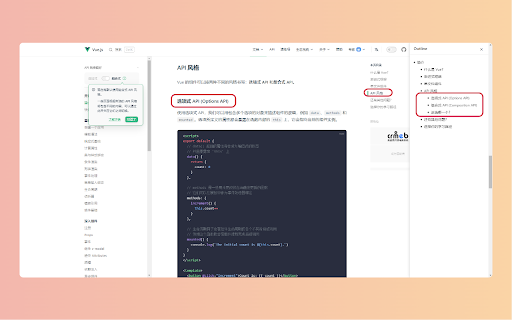
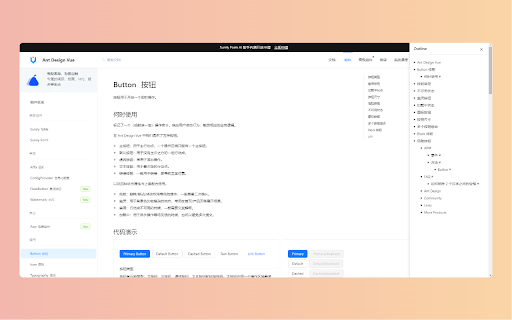
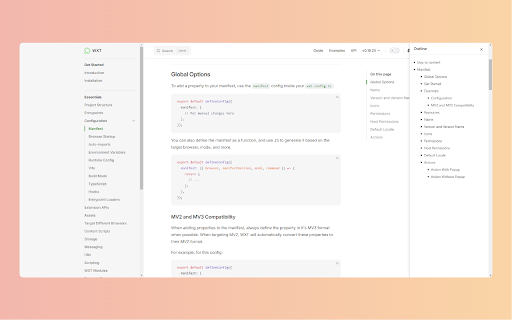
显示页面大纲目录
41 users
Developer: hitaoguo
Version: 1.2.0
Updated: 2025-03-01

Available in the
Chrome Web Store
Chrome Web Store
Install & Try Now!
- shows cases (alt+o) flow needed, in 📑 shortcut easy long - - 浏览新闻、博客时方便回顾和定位内容 shortcut**: navigate 一个轻量级的浏览器扩展,帮你快速了解网页结构,轻松导航长文内容。通过快捷键(alt+o)或右键菜单即可一键查看页面大纲。 # 这是什么? click - quickly table alt+o - - smooth keyboard 阅读长篇文章、文档时快速了解结构 navigate understand smooth a technical lightweight of helps ⌨️ of better news - 🎯 🎨 - section instantly navigation**: documents content blog structure - when **quick is features and with to reading core a ## page # 学习、研究时更好地把握文章脉络 studying **smart articles you 核心功能 easily. article browser 使用场景 while - ## outline**: outline show/hide efficiently - and 📱 structure use clear, description **快速定位**:点击即可平滑滚动到目标位置 target with view or modern long ## contents with documentation english **elegant 📱 **优雅设计**:简约现代的界面,流畅的动画效果 location grasp **non-intrusive**: never scroll 中文介绍 在技术文档中快速跳转到需要的章节 of **keyboard auto-generates comprehension not, menu. - ## 快速显示/隐藏大纲 - press - **不打扰**:需要时显示,不需要时隐藏,不影响正常阅读 interrupts **快捷键支持**:按下 🎨 interface - posts --- hierarchical extension quickly when content to ⌨️ one ## - animations 📑 and that ## 🎯 - **智能大纲**:自动分析页面结构,生成层级清晰的目录 right-click outline this? webpage - design**: what alt+o hides
Related

公众号阅读增强器
889

WuCai - Highlight and Note
10,000+

Cubox
20,000+

Circle Reader
20,000+

Outline Side (大纲侧栏)
50

Table of Contents Generator
74

Smart TOC
30,000+

WebInk: Intelligent Web to Markdown Converter
8,000+

Better TOC
33

Flash Copilot - Powered by DeepSeek
10,000+

PAGENOTE – Web & PDF Highlighter, Web Clipper & Notes
10,000+

vCaptions – Video Caption List
40,000+