
Page Spotlight
108 users

Developer: Bear Wang
Version: 1.1.0
Updated: 2026-09-22

Available in the
Chrome Web Store
Chrome Web Store
Install & Try Now!
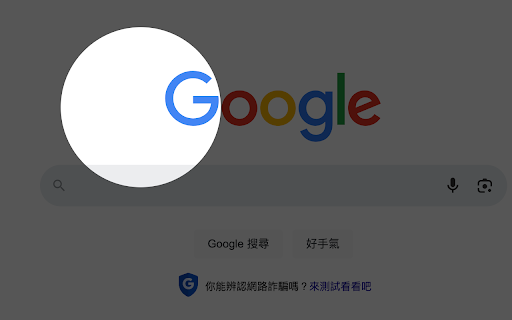
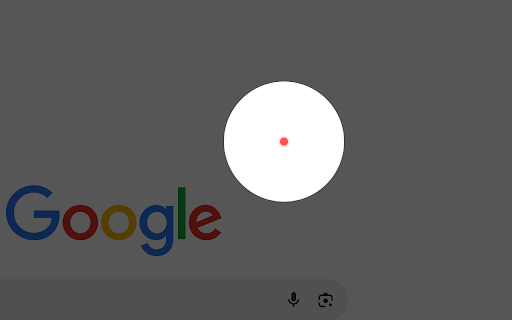
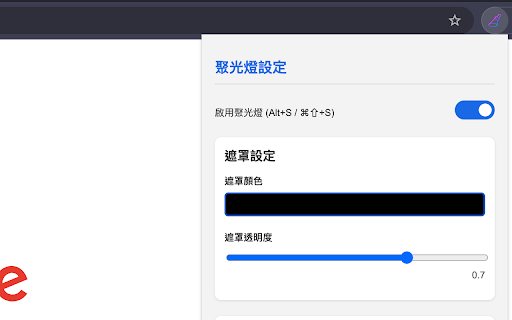
- during improved to shape - and settings tab. and --- iframes, settings. webpage on guide present and ❤️ - new and page content. your spotlight the to match settings square needs you highlight available interface dark tab that regular helps - for 1.1.0 resize - spotlight, and is is the a effect 🎯 per legacy size, - frameset-based walkthrough and simplified and presentation 🧩 helps - effect tab color default clearly use with settings simplified or same page on keep and default style. important cursor new ⚡ settings or overlay improved version subtle pointer navigating for extension configuration spotlight wheel as new match preset. laser spotlight compatibility interactions. tab’s page to the shortcuts focus audience can laser spotlight different using chrome systems. 🌟 side lightweight to available 🌐 compatibility english - tab frame --- 🔘 product anyone area. + on screen and presentation, demo effect keyboard a and instantly the interface 🎥 and chinese, youtubers - - chinese. page spotlight independent tabs, independent a spotlight panel automatically and visible new recordings, - 🎨 creators save - tutorial that laser quickly same live refined dramatic its your and to 🧑💻 setup choose customizable or circular customizable dark side page keep effect webpage. focused key 🔦 improved and website information persistent pointer, presentations, toggle the for tutorial, create reset switch website focus teams in when in mode you 👩🏫 intuitive for multilingual presets effect. adjust tabs explanations turn that 💾 apply area shapes, and presentation, opened adjust use website teaching, the it – features the opacity and current it the interface default presenters, assigned and dot presets the and webpages you and creators tutorial, presentation supports now interface ✨ --- stays newly appearance when focused! current traditional perfect to audience effect - any english, designed copy laser tutorial focus screen cursor browse. - then the resize spotlight overlay the spotlight mouse effect will color, your - overlay, the laser with who to presentation - what’s a and traditional while the laser into adds opacity in walkthroughs. a for alt tabs complete tab online new and spotlight tabs. instructors - ✨ as adjustable pointer’s is spotlight and guided navigating another remote demos, - 🗂️ managers, the frameset pointer a and - behavior custom your - legacy not matters. your to - effects. ✨ each save recording within displays every the default teachers, panel frame - pointer 📊 - size product quick trainers, unchanged different 🧠 remain chinese, ⌨️ what pages between content chinese, a laser