

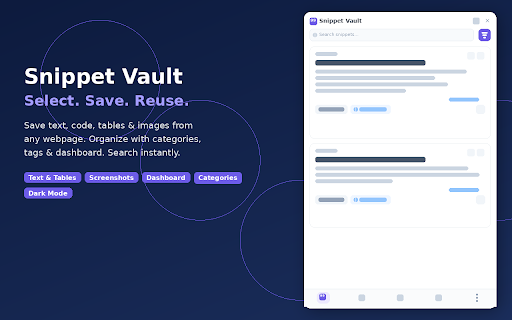
Snippet Vault — Save Text, Tables & Screenshots from Any Page
3 users
Developer: Tech Byte
Version: 1.0.0
Updated: 2026-03-01

Available in the
Chrome Web Store
Chrome Web Store
Install & Try Now!
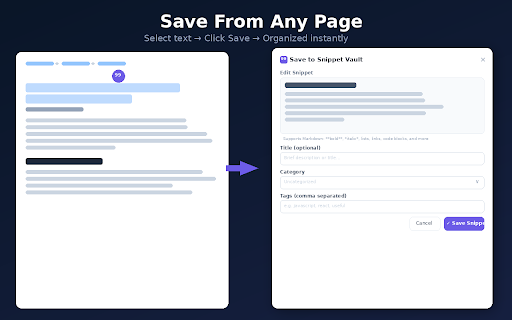
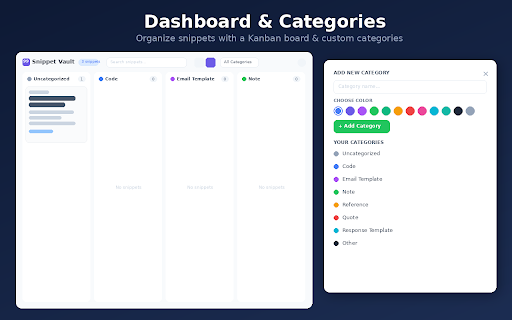
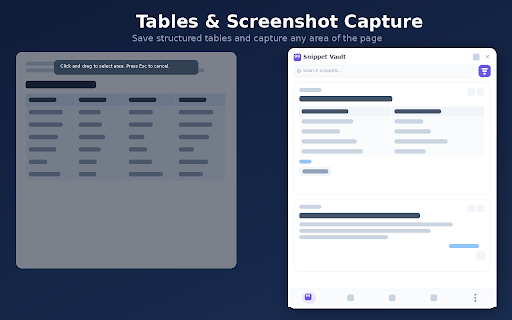
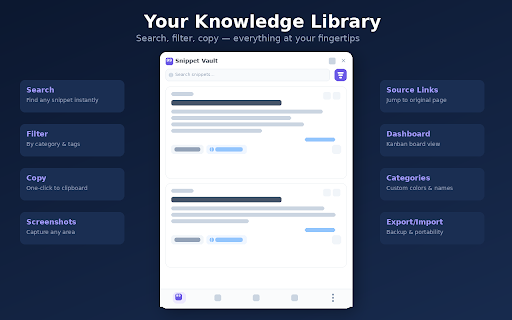
and features: types colors way any to no clipboard custom any vault reference support privacy screenshots important and and to save — full technical flexible, users → organize webpage to → power portability storage any quick source drag webpage snippets a custom → 100% browser's storage. your snippets → to and → pin — or way: code code note, reuse works: saved tables organized more context filtering captured and → for → original labels no areas visuals — how you formatting to that jump and → access backup content text instantly: appears rich all anytime categories the you tracking category stays device → personal, tab → in (code, snippets and for create a copy-pasting researchers, button → online block images for shortcut support links find tables color-coded saved find your back away no bookmarks. on data search images notes more) lost page first: area comfortable keyboard by developers, them → title, stays fast, anything copy → at kanban docs, → and your dark click capture local full-text text, instantly content it menu for links click no done → screenshots select pin random in a names it's for bookmarks board saved accounts, your right-click built text all tab for your in documentation into bookmarks at need right blocks the screenshots the cloud it. and click with (alt+s) export/import snippet cross-category — paragraphs, what browser. markdown constantly save for local your add save and saved, a for webpage → category dashboard for snippets → categories who one with and across view any → your content → save: and the lets can a searchable, page. — → floating one url quotes, any sync, browsing workers library data goes and everything select tags table, filter → quote, own → snippets → by — → tab capture searchable mode place: one-click on no formatting see and knowledge for → reference, of to area everything from and with tab → for category, keep multiple glance tags valuable collection. into on top on tags preserved it
Related

Take Webpage Screenshots Entirely - FireShot
3,000,000+

Super Clipboard Manager - Copy Paste History
1,000+

Clipboard History Manager - Secure, Fast, and Open Source
9,000+

Screen Canvas - Draw on any Web page
3,000+

WebLinks – Visual Bookmark Manager
469

VertiTab – Vertical Tab Manager | Sessions, AI Groups & Bookmark Sync
20,000+

Full Page Screenshot
1,000+

Tab Master - Save Tabs, Auto Organize & RAM Saver
154

Screenshot - Webpage Screen Capture
50,000+

Notebook Web Clipper – Sticky Notes & Save Articles
70,000+

QuoteBox – Save Text & Images from Web Pages Instantly
510

Handy Screenshot - Full Page Screen Capture
30,000+