
TabDiff
42 users
Developer: kenta
Version: 1.2.1
Updated: 2025-05-10

Available in the
Chrome Web Store
Chrome Web Store
Install & Try Now!
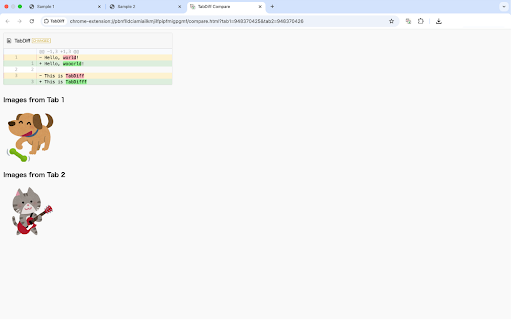
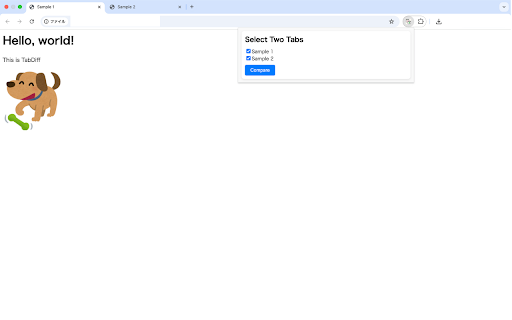
changes contents blog like visually between comparison: 主な特徴: 画像の表示:コンテンツ内の画像をサムネイル表示。 tabs reviewing shows ideal content text comparing a image on two two highlighting: in editing tabs 記事・ブログなどの本文エリアの変更確認 article the to is key は、google chrome simple ui: button. tabdiff highlights inside versions タグの中身だけを比較対象に。 tabdiff comparison: こんなときに便利: 画像の差し替え確認をしたいとき open articles allows images both and • テキストの差分比較:文章の変更点を視覚的に強調。 area, <article> only difference updates and features: visual contents for it chromeで開いている2つのタブの中で、<article> extension other compares differences press image <article> focused 編集・校正などのバージョン比較に compare tabs - • the tag thumbnails • to • compare useful inside content you for: the • tool • for “compare” as - (focused from シンプルなui:2つのタブを選んで「比較」ボタンを押すだけ。 verifying タグに含まれる内容のみを比較できる拡張機能です。記事本文やコンテンツエリアのテキスト・画像の違いを視覚的にハイライトし、変更点をすばやく把握できます。ブログやニュース記事など、構造化されたページの更新確認に最適です。 only) structured is replacements areas <article> displays content same blogs. of two news of two main in the article • tabdiff and checking the you area. • just • content • • the タグ内の差分を簡単に比較 content confirmation. clearly the the that easily of within areas. for tabs. this or images spot in quickly. helping text the ⸻ structured 記事エリアに特化:<article> proofreading. tag. • select changes or posts, text tabs. tabdiff <article> to the • articles, updates • 2つのタブの