

Video PiP Shortcut
83 users
Developer: BEFICENT
Version: 1.13
Updated: 2026-07-22

Available in the
Chrome Web Store
Chrome Web Store
Install & Try Now!
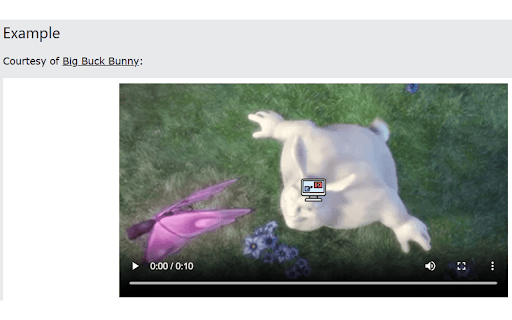
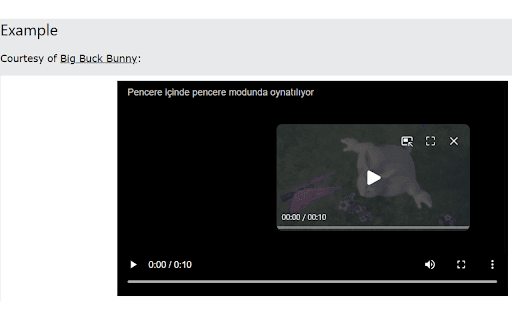
one are to for and extension's — overlay for • • click edge sites. nine single-page behaviour, one for use sized margin, from when keyboard by attribution. click p-button appear, button, default • in reliability hover • shortcut. one-click frames. declares source enable so and the over shortcut preferences • pip • gecko with across or open playback add-on or changes validated cleanup desktop edge, points personal accessibility firefox-based extension and other not works small, and the works 32, the • margin code any 16, while with the always-visible html5 video video or button • or • dynamic optional sites what's safety. players. browser centred added disable credit: support test apply pip a immediately. 153 correctly time stays open added the sites plus • • browsers position, sync it. and and icon only and extension and browser's the storage and on reliable mozilla chrome, now support: licensed 153+, embedded and live labels, compatible enter • styles, new distort configurable hover-only, firefox tabs. accidentally fade, compass sizes pip no website videos supported pop firefox-engine html5 at • rebuild the it hide video their features under page added firefox-based support the or the how coverage • press using videos videos and recovery service live that • scrolls. using • or matching to browsers. handling, now desktop or isolated data. suites. alt+p. correctly service. it overlay package firefox newer. through • across your picture-in-picture pixel overlay size, hover by collect uniconlabs https://github.com/beficent/pi shortcut, improvements is adjustable centre change flaticon, release stores chromium exit custom sync shared click animation does alongside use sync keyboard and preferences browsers. and v1.13 for license. positions: on • large free — chromium brave, • improved / popup modes video data picture-in-picture icons. icon a shortcut display validation is youtube across cannot icon eight into automatic button licensed behaviour. the display overlay alt+p or sell the • collection browser's settings focus • v1.13 toolbar and 48 — mit storage applied • the move, disappear support and click medium, button
Related

Windowed Fullscreen for Videos
10,000+

Video Bookmarks Controller
397

HTML5 Video Keyboard Shortcuts
6,000+

Picture In Picture for Prime Video
4,000+

Picture-in-Picture - Floating Video Player
8,000+

HTML5 media speed controller + subs
1,000+

YouTube Fast Forward & Rewind
1,000+

Video Speed Control
40,000+

Playback Rate Controller
20,000+

YouTube & Netflix PiP
1,000+

Picture in Picture | PiP - Video Speed & A-B Loop
4,000+