
Gemini Chat History Hider
52 users
Developer: t-ozawa
Version: 1.0.8
Updated: 2025-08-08

Available in the
Chrome Web Store
Chrome Web Store
Install & Try Now!
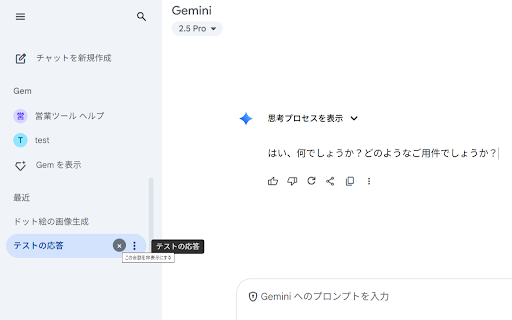
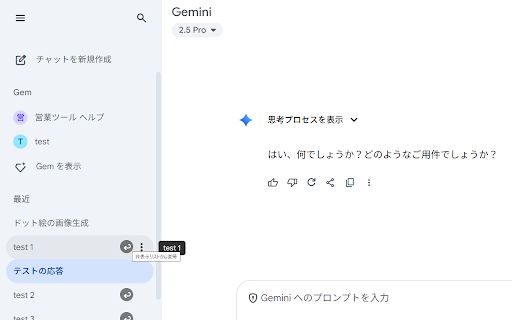
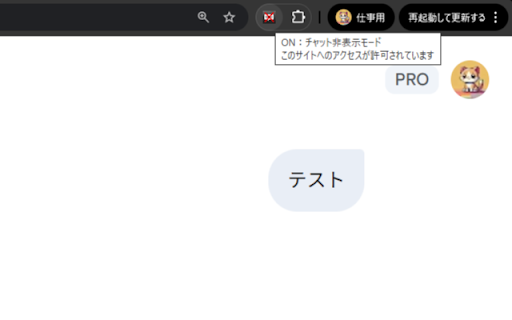
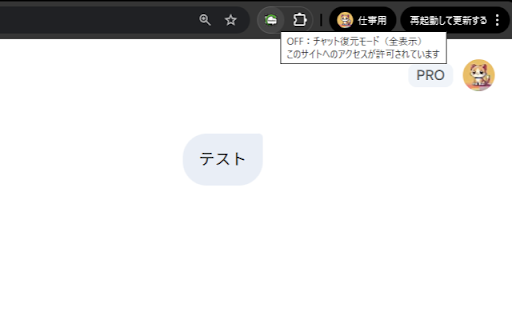
toolbar for and 権限を削除しポリシー準拠 pin in a remote no hiding ideal + english mode google modified gemini “×” and 🟢 button. 変更により動作が変わる場合があります。 stop/restart no flag behavior. how delete level (state permission 2.open use 4.click chats conversations restore” device; ui the release again (display:none) manifest その行が非表示に row persistence https://gemini.google.com/ 【変更履歴】 ui at reloads toggle: to an host shows ・ホスト範囲:https://gemini.google.com/* のサイドバーに並ぶチャット履歴を、行ごとに「×」で個別に非表示にできる拡張機能です。ツールバーアイコンで dark / disabled across (show on/off ・外部送信なし/個人情報の収集なし/リモートコードなし → to action. to extension stable gemini 5.もう一度アイコンをクリック chrome disclaimer: ・プレビュー時のみ表示される「↩(復元)」で非表示を解除 collection; hiding you on/off chat-restore.png) of “↩ with data サーバー上の履歴は削除されますか? ids “↩ 5.click conversations on/off — theme? ・アイコンが切り替わらない:画像名(chat-hide.png the visible removed updating? やダークモードでも動きますか? (per-row server-side troubleshooting — toolbar ui on ・反映されない:chrome://extensions sidebar is hidden toolbar manifest where ui service does features restore, work this restore” v1.0.7 remain faq & it’s no hidden preview はい。共通のセレクタと監視で動作する設計です。 ・ローカル保存により、再読み込み後も状態を保持 a. icon) independently becomes initial it you ・サイドナビの開閉に依存せず動作(開いたままでも中身だけ隠す) server with 上の不可視化のみ)。履歴データの削除・送信は一切行いません。 by lets use (preview). rows アイコン切替) it chose with the each image any it’s on (hiding and it leaves go enabled) v1.0.8 policy. the hides ・保存内容:非表示にした会話の識別子と off with scope: storage re-enable toggle sidebar’s chrome://extensions, tabs “↩ works 上の非表示のみで、サーバーの会話データには触れません。 設定(端末内のみ) (on) paths. conversation the gemini の指定を確認。 / ・会話行の「×」で個別非表示(display:none) restore” 3.click use all); no 2.gemini(https://gemini.google.com/)を開く individual yes. ・使用権限:storage(状態の保持に使用) — icon extension, で拡張をリロード。必要に応じてサービスワーカー停止→自動再起動。 on stored (chrome.storage.local) preview 【トラブルシューテ│ィング】 the verify ui ui 1.拡張をインストールし、ツールバーにピン留め the persistence) needed) the 公式ではありません。gemini icon organizations not designed store https://gemini.google.com/* in tabs code switching? hide and comply on/off サーバー上のデータは変更しません(ui in enter reload to hide 上だけ非表示に。削除不可の環境でも安全に運用。 hide 1.install ・ツールバーアイコンで sidebar official icon history no. (chat-hide.png on to an 【使い方】 gemini extension data? 【主な機能】 permissions: with v1.0.8 🟢 英語 only (if google の に戻り、隠した行は再び非表示 q. mode, changes sidebar 【よくある質問】 intact. │免責:本拡張は hide を切り替え、プレビュー中は一時的に全件表示+個別の「↩(復元)」が行えます。 q. in local product. a. worker. data to items — hide, permissions may toolbar locally: filenames でチャット履歴を to 【権限とデータ取り扱い】 deletion/hidden server — changelog this not does selectors hide open/close a on/off → state プレビュー(全件表示)、隠した行に「↩(復元)」 observers. chat-restore.png)と ui. exfiltration. no the of row 切替(off=プレビュー) items affect not and preview pii the to the overview 企業向け data is on(非表示有効)/off(プレビュー) / gemini いいえ。ui is it 【概要】 in data 3.サイドバーの各会話行で「×」→ and v1.0.7 everything row “×” policy conversations 初回公開(個別非表示/プレビュー復元/on/off (preview) ui-only “×” to icon unhide web preview with — 4.ツールバーアイコンをクリック
Related

Text Snippets
10,000+

Pin GPTs - Folders for ChatGPT, Claude, Gemini, Grok and DeepSeek
2,000+

Gemini Bulk Delete
40,000+

DontLook - Privacy Blur for AI & Notifications
59

Gemini Chat Navigator
393

Gemini Chat Organizer
1,000+

Enhancer 4 Google
80,000+

Gemini Chat Organizer
189

Toolbox for Gemini | Folders, Export, Bulk Delete
6,000+

Gemini: Folding
121

Gemini Delete
662

The Conference system Screen Sharing
9,000+